

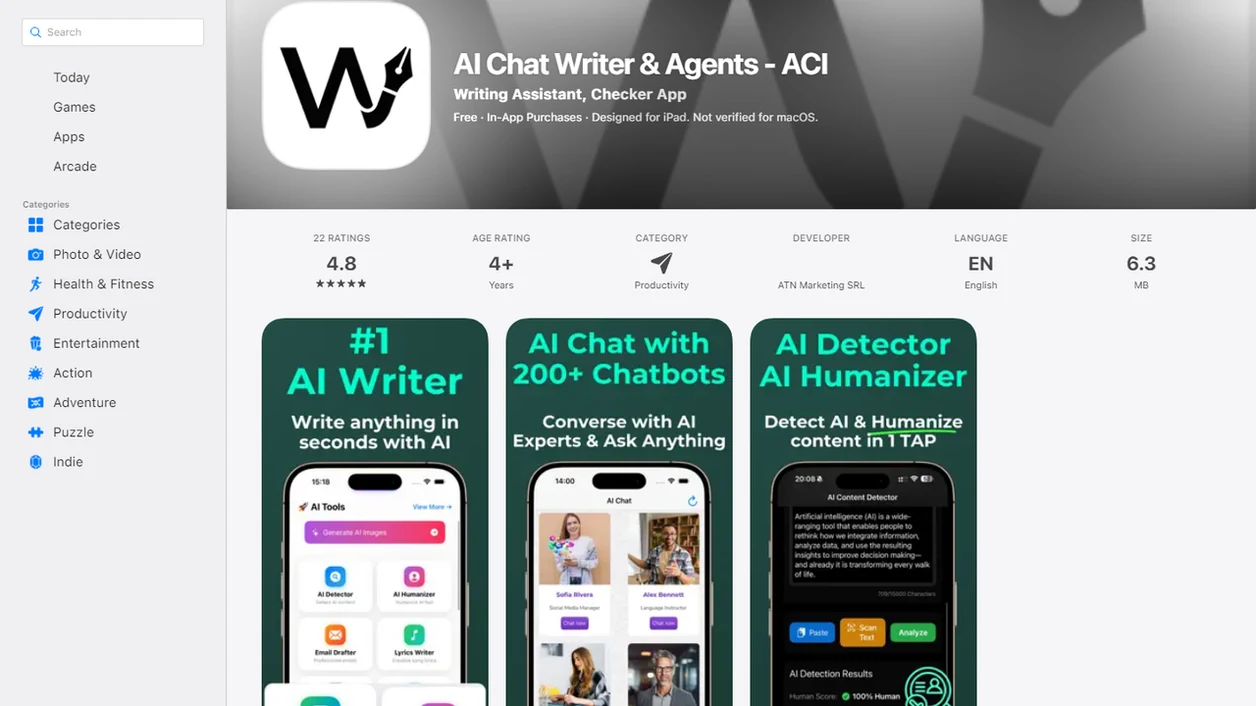
Definition: An AI writing app for Android is a mobile tool, standalone app, keyboard overlay, or browser-based platform, that helps users draft, rewrite, detect AI text, or polish writing on Android devices.
Android AI Writing Tool Categories Available Today
Android AI writing tools fall into three practical categories: built-in features, Play Store apps, and browser-based platforms. The category matters because “Android AI writer” can mean anything from a message rephrase button to a full detection and rewriting workflow.
- Built-in features: Google Magic Compose works inside Google Messages and is built for message rewriting, not essays, emails, or long-form documents. Google says it is built into Messages, so no separate writing app is needed for that feature source.
- Keyboard overlays: Grammarly for Android works as a keyboard layer for grammar, spelling, punctuation, and tone edits source.
- Drafting apps: iA Writer is available on Android, but its main job is focused drafting, not AI generation source.
- Browser-based platforms: Browser-based platforms cover AI detection, humanizing, rewriting, and chat from Chrome or another Android browser.
- Workflow fit: A good Android writing assistant should support the next edit, not just produce more text.
A rough draft on a phone screen gets cramped fast.
When the issue is a detector score after pasting a class paragraph into a browser tab, the browser workflow fits because the same page can check, revise, and recheck flagged passages.
What Write.info Does as an AI Writing App for Android
Write.info gives Android users a browser-based writing workspace for checking, revising, rewriting, and drafting text. It is not a Play Store install; detection, humanizing, rewriting, and chat run through mobile browser access instead.
The workflows are separate on purpose. Students can paste an essay paragraph into the detector, then revise flagged lines before submitting. Freelancers can use the rewriter to make client copy clearer without changing the brief. Marketers can humanize stiff product descriptions or campaign drafts so they sound less templated. Everyday users can open chat for a cleaner message, caption, apology, or reply when a blank text box is the problem.
A practical Android flow looks like this:
- Check a passage in the AI detector when you need a probability signal.
- Humanize sentences that read too smooth, repetitive, or machine-like.
- Rewrite text when structure, tone, or clarity needs a stronger edit.
- Ask chat for outlines, alternatives, or quick drafts when you are starting cold.
- Use ACI when the job needs detection and rewriting together, especially if you want to move from “this may be flagged” to “this reads more naturally” in one browser workflow.
Android AI Writer Comparison Table
The main Android AI writing options differ less by brand name and more by access method. A keyboard, built-in message feature, and browser tool do very different jobs.
| Tool | Access Method | AI Writing | AI Detection | Rewriting/Humanizing | Free Tier |
|---|---|---|---|---|---|
| Write.info | Mobile browser | Yes | Yes | Yes | Yes, basic access |
| Grammarly | Play Store keyboard | Limited | No | Grammar and tone edits | Yes |
| Magic Compose | Built into Google Messages | Message replies only | No | Message style rewrites | Depends on device/account |
| iA Writer | Play Store app | No native AI focus | No | No AI humanizer | Paid app |
Among the options listed, only one puts AI detection, humanizing, rewriting, and chat in a single Android browser workflow. If the priority is fewer tool switches, that browser workflow handles the messy middle between ‘flagged as AI-written’ and ‘submission-ready’ with detector, humanizer, and rewriter tools.
Android AI Writing and Detection Mechanics
Most Android AI writing tools send text to cloud servers for processing; they usually do not run large language models fully on the phone. That means your text may leave the device unless a tool clearly says processing is local.
Magic Compose is a useful example. Google says the feature may send up to 20 previous messages to Google servers when enabled source, which matters if the chat contains names, workplace details, or private context.
AI detectors work differently from writers. They analyze statistical patterns such as perplexity and burstiness, plain-language signals for how predictable or varied the writing looks. Humanizers and rewriters then restructure sentence patterns, vary phrasing, and remove robotic transitions like “in today’s fast-paced world” or “delve into the nuances.”
Assume cloud processing first.
For students and professionals, outcome usually depends more on source checking and revision quality than on the phone model used to run the tool.
Ready to start your quit?
There is no dedicated Write.info Android app on Google Play, but Android users can access the AI detector, humanizer, rewriter, and chat tools through any mobile browser. An AI…
Write.info Android Browser Workflow
Write.info works on Android through Chrome or any modern mobile browser, so you can use the same tools without installing a Play Store app. Add the site to your home screen if you want app-like access from your launcher.
- Open Write.info in Chrome or another Android browser.
- Paste or type text into the AI detector to check whether passages may be flagged as AI-generated.
- Send flagged passages to the humanizer or rewriter tool, then review one claim at a time.
- Copy polished text back into Gmail, Google Docs, Slack, or your message app.
- Use chat agents for brainstorming, outlining, or drafting when you are starting from a blank page.
Copy-paste friction is real.
On days you are editing between a bus stop and a calendar reminder, browser access works because the browser flow keeps detection, rewriting, and chat in one mobile tab. The same broader mobile workflow is covered for Apple users in our AI writing app for iPhone guide.
Android AI Writing Tool Requirements
Android AI writing tools need a few basics before they become reliable daily tools. The biggest requirement is internet access, because browser platforms and most other AI tools process writing through cloud systems.
Magic Compose requires Google Messages, RCS enabled, and an updated app. Grammarly requires keyboard installation, account setup, and permission to work across text fields. Browser-based tools need no Android installation, and basic use may be available without the same keyboard-level setup.
Some features may require subscriptions. Others may depend on newer Android versions, browser support, or account status.
A freelancer looking for client-safe rewrites should check requirements before opening a folder named final-final on a phone. The browser workflow keeps that check lighter because browser access avoids keyboard installation and lets the user paste only the passage that needs review.
Android vs iOS AI Writing App Availability
Android users often see fewer native AI writing apps than iOS users because some writing tools launch on iPhone first. Write.info has a companion iOS app, while Android users use the browser-based version with the same detector, humanizer, rewriter, and chat features.
The browser workflow closes much of the platform gap. You still paste text, check the detector score, revise the draft, and copy the result back into the original app. The difference is packaging, not the core writing workflow.
Android also has built-in options that iOS does not, including Magic Compose inside Google Messages.
Android users who need detection plus rewriting are not limited by the lack of a Play Store app; the browser workflow provides the same core tools through mobile browser access. For tablet drafting, the larger-screen workflow is different, and we cover that separately in our AI writing app for iPad guide.
Sources and Evidence for Android AI Writing Tool Claims
The Android claims here come from two buckets: official product documentation and hands-on workflow observations from using writing tools on a phone. Google’s Magic Compose documentation supports the availability and message-processing notes, while Grammarly and iA Writer’s own Android pages support their platform availability.
Read the table claims as product facts when they describe where a tool is available, what app it runs in, or whether setup requires a keyboard, browser, or Google Messages. Read the workflow claims as practical observations when they describe copy-paste friction, small-screen editing, or how detector-to-rewriter loops feel on Android.
- Check official product pages first for availability, permissions, and supported Android access.
- Separate those documented facts from lived workflow notes, such as whether a browser tab is easier than a keyboard overlay.
- Treat detector results as probability signals, not proof that a person did or did not write the text.
- Recheck important drafts after revision, especially when the text is short, heavily edited, translated, or high-stakes.
That distinction matters because a support page can confirm a feature exists, but it cannot guarantee detector accuracy in every classroom, client, or publishing workflow.
Android AI Detector Accuracy and Use Cases
AI detectors estimate probability; they do not prove authorship. A detector score should be treated as a revision signal, not a final verdict for school, hiring, publishing, or disciplinary decisions.
Detection quality varies by text length, language, topic, and the model that may have generated the text. Short texts under 100 words are especially unstable because there is not enough pattern data. A two-sentence caption can look “AI-like” simply because it is polished and predictable.
Write.info AI detector works the same in an Android browser as it does on desktop. The small-screen difference is practical: it is harder to compare flagged sentences, revision notes, and source tabs at once.
A student rereading a detector result at 11:47 p.m. before a learning-management-system upload window closes needs a practical next step, not panic. For school work, a detector result should lead to revision, citation checks, and clearer personal wording.
Limitations
AI writing tools on Android are useful, but they are not neutral magic boxes. The tradeoffs show up fastest when the document is private, long, or high-stakes.
- Most AI writing apps process text in the cloud, which raises privacy concerns for sensitive documents.
- Magic Compose is restricted to Google Messages and cannot help with emails, essays, reports, or long-form content.
- AI-generated drafts often sound generic and need human editing for voice, accuracy, and brand alignment.
- AI detector results are probabilistic, so false positives and false negatives occur regularly.
- Subscription costs can add up when using Grammarly, ChatGPT, QuillBot, or other tools alongside browser tools.
- Offline functionality is essentially nonexistent for AI writing and detection on Android.
- Smaller screens make long AI-generated text harder to edit than the same draft on desktop.
- Browser workflows depend on copying text carefully, which can create version-control mistakes.
A social caption trimmed for a phone screen may be easy. A policy memo with citations is not.