
AI Writing App Privacy For Essays, Client Work, And Notes

AI writing app privacy depends on whether the app stores your text, uses it for model training, shares it with subprocessors, and lets you delete or control sensitive content. Before pasting essays, client work, contracts, notes, or drafts, check the tool’s training policy, retention period, security controls, mobile permissions, and deletion process.
AI writing app privacy is the set of policies, security controls, and user choices that determine how an AI writing tool collects, processes, stores, shares, deletes, and potentially learns from your prompts, documents, and account data.
This guide is a privacy-risk checklist, not legal, medical, financial, or school policy advice. If your text includes regulated data, client-confidential material, or disciplinary risk, follow your organization’s rules before using any AI writing tool.
- Do not paste sensitive text into any AI writing app until you know whether your content is used for training, product improvement, logs, or human review.
- Privacy risk is shaped by data retention, server location, encryption, subprocessors, mobile app permissions, and deletion rights.
- For essays, client work, legal drafts, medical notes, financial records, or unpublished business material, use redaction, no-training settings, and internal approval rules.
AI Writing App Privacy Checklist At A Glance
AI writing app privacy is not one switch. It is the combined result of storage, model training, retention, staff access, deletion, security, and sharing rules.
Use this quick checklist before you paste a draft:
- Training use: Is your text used to train or fine-tune models?
- Retention length: How long are prompts, files, outputs, and logs kept?
- Encryption: Is data encrypted in transit and at rest?
- Human review: Can staff, contractors, or abuse reviewers see content?
- Third-party processors: Which cloud, analytics, and AI providers handle data?
- Deletion: Can you delete documents, logs, and the account?
- Export: Can you download your own content first?
- Mobile permissions: Does the app request clipboard, files, photos, mic, or contacts?
- Sensitive text rules: What content should never be pasted?
Detector, humanizer, rewriter, and chat features all process entered text. Apps such as [Write.info](), QuillBot, Grammarly, ZeroGPT, WriteHuman, and ChatGPT should be checked feature by feature, not judged by one privacy headline.
Five AI Tool Privacy Facts Before You Paste Text
- Security claims do not automatically mean no storage, no training, or no human review. “Secure” may describe encryption, not reuse rules.
- Model training and product analytics logging are separate privacy risks. A tool might avoid training on your draft but still keep logs for debugging.
- Data retention and server region affect school, legal, and business exposure. A client draft with tracked changes visible carries different risk than a public blog paragraph.
- Mobile apps often send text to cloud systems and may add permissions, trackers, crash reporting, or software development kits.
- Client data, medical information, legal drafts, financial details, trade secrets, and unpublished research need stricter handling than ordinary public text.
Privacy concern is mainstream, not theoretical. Cisco reported in 2023 that 48% of surveyed organizations had restricted generative AI tools because of privacy and data protection concerns, and 92% said they needed to reassure customers about AI data use source.
AI Writing App Data Flow Behind The Scenes
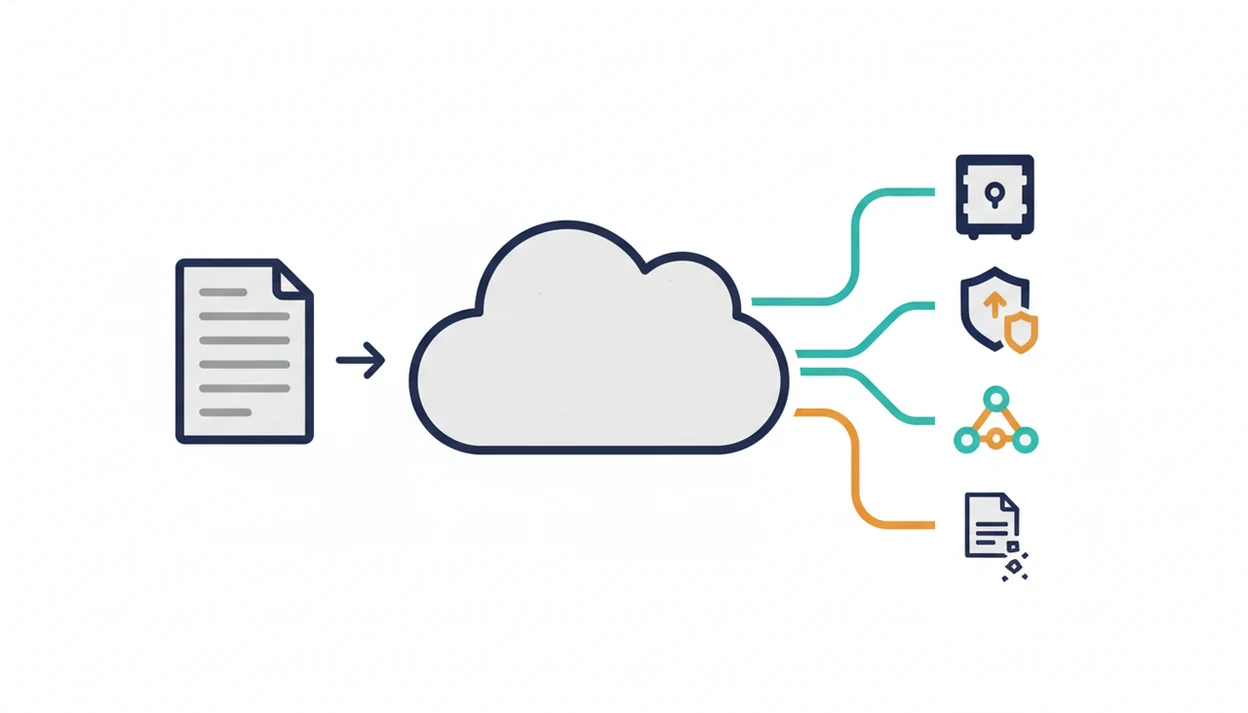
AI writing app data flow usually means your text travels from the editor to cloud services, model providers, logging systems, storage databases, and back to your screen as an output.
Here is the plain version. You paste a paragraph into a web editor, highlighted sentences appear, and the app returns a rewrite or detector score. Behind that moment, several systems may touch the text: application storage, model provider processing, prompt logs, generated outputs, analytics events, backups, abuse monitoring, and support tools.
These layers are not the same. Application storage keeps your documents. Model-level training may use content to improve a model. Product review may sample data for quality or safety. Analytics logging records events. Backups preserve copies after deletion. Support access may let staff inspect account data under policy rules.
Good AI app data safety uses separate protections: encryption in transit, encryption at rest, role-based access controls, audit logs, and subprocessor limits. Web apps, APIs, browser extensions, CMS integrations, CRM tools, and iOS or Android apps can expose different surfaces even when the writing feature looks identical.
AI Writing Data Retention Questions To Ask Vendors
How long does the AI writing app keep my text? Ask that exact question, then break it into smaller retention buckets.
A useful vendor answer separates active documents, prompt logs, generated outputs, analytics events, crash logs, support tickets, and backups. Deleting a document in the interface may remove it from your workspace but not instantly erase backup snapshots, security logs, abuse records, or support copies.
Look for the specific retention period. “We keep data as long as necessary” is less useful than “prompts are deleted after 30 days.” Also check the deletion request process, export controls, account closure rules, and whether enterprise plans offer shorter retention.
Policies can change. Put a reminder on the calendar if your team uses an AI writing assistant for recurring client work, grant drafts, or campaign copy. For student submissions, the privacy question overlaps with is it safe to paste essays because the draft may include names, course details, and source notes.
AI App Data Safety Controls For Essays, Client Work, And Notes
The practical next step is redaction before pasting. Remove names, student IDs, account numbers, addresses, private school details, contract party names, confidential figures, and unique trade-secret facts.
Use excerpts instead of full documents when possible. A single confusing paragraph is often enough for a grammar rewrite, tone check, or human-sounding edit. The full file can stay in your approved system.
Different documents need different rules. School essays may include identifying details and citation drafts. Client marketing copy may include unreleased claims or approval comments beside revised claims. Meeting notes can contain personnel issues. Contracts, medical text, legal text, and financial records may be regulated or confidential.
AI detectors and humanizers process sensitive text too. Do not assume privacy improves because the feature is not a chatbot. Write.info is an AI detector that checks AI-generated text and provides humanizer, rewriter, and chat tools for students, writers, and professionals.
Use detector, humanizer, rewriter, and chat features as editing aids only; they do not remove your duty to protect confidential text or follow submission rules.
No-Training Policies, Product Improvement, And Human Review
A no-training policy only answers one privacy question. It does not automatically explain logging, review, analytics, support access, backups, or third-party processing.
| Privacy term | What it usually means | What to check |
|---|---|---|
| Model-level training | User content may improve or fine-tune models if policy allows it. | Look for “not used to train models.” |
| Product improvement | Content may appear in logs, evaluations, debugging, safety monitoring, or analytics. | Watch for “may be used to improve services.” |
| Human review | Staff, contractors, support teams, or abuse reviewers may access some data. | Search for “human review” and access limits. |
| De-identified or aggregated | Data is modified or combined before analysis. | Ask whether rare details could still identify you. |
| Subprocessors | Other vendors help provide storage, AI, analytics, or support. | Review the subprocessor list and regions. |
For confidential legal, medical, financial, or client work, enterprise or no-training modes are usually safer than default consumer settings because they tend to offer tighter retention and access controls. Still, check the source policy, not a sales line.
The FTC also warns companies not to make unsupported claims about AI privacy, security, or performance, so verify policy language instead of relying on promotional summaries source.
Mobile AI Writing App Privacy On iOS And Android
A phone is not automatically safer than a browser. Many mobile AI writing apps send prompts and documents to the same cloud systems used by the web version.
Check mobile-specific signals before moving drafts between devices: clipboard access, photos and files access, microphone permissions, notifications, contacts, advertising IDs, analytics SDKs, crash reporting, and sign-in providers. A standing-room subway tweak to a headline may feel local, but the text may still travel through cloud accounts, APIs, and model providers.
Companion workflows add more places for data to sit. A paragraph can start in a laptop draft, move through an iOS app, sync to cloud storage, and return through a browser extension. Short bursts are convenient. Messy, too.
Review app store privacy labels, in-app permission prompts, and the vendor privacy policy together. One label rarely explains retention, training, subprocessors, and deletion rights by itself.
AI Tool Privacy Checklist For Sensitive Documents
Use this checklist before pasting sensitive documents into any AI writing tool. Mark each item yes or no, then decide whether to paste, redact, or stop.
| Check | Yes/No |
|---|---|
| No-training option is available and turned on | |
| Retention period is clear | |
| Deletion process is documented | |
| Encryption in transit and at rest is stated | |
| Access controls are described | |
| Subprocessors are listed | |
| Server region is known | |
| Mobile permissions are limited | |
| Export controls are available | |
| Human review rules are explained | |
| Compliance claims are specific | |
| Acceptable-use rules permit your use case |
Simple rule: paste normally for low-risk public text, redact for moderate-risk drafts, and do not paste high-risk regulated or confidential material without approval. GDPR, CCPA, SOC 2, or similar claims are useful signals, but they do not remove every operational risk. For detector use, privacy also sits beside accuracy concerns such as AI detector false positives.
For regulated data, compare the use case against the applicable rule set, such as HIPAA privacy rules for protected health information source or the FTC Safeguards Rule for covered financial institutions source.
When To Get Approval Before Using An AI Writing App
Get approval before using an AI writing app whenever the draft belongs to someone else, could affect a grade or dispute, or contains regulated information. If the rule is not clear, treat the text as sensitive until the right person says otherwise.
A quick rewrite can still expose campaign plans, contract language, student records, legal notes, HR details, or financial data. Approval is not about slowing down ordinary editing. It is the guardrail that keeps private work inside the systems your client, school, employer, or professional duty already requires.
- Ask your client before uploading nonpublic campaign copy, strategy notes, contract drafts, approval comments, or unreleased claims.
- Check with school staff before using AI on graded work, admissions material, misconduct responses, or anything that could create disciplinary risk.
- Send legal material for review before pasting contracts, privileged notes, settlement facts, discovery summaries, or dispute documents.
- Route health, financial, HR, insurance, student, or other regulated records through the compliance process before entering them into a tool.
- Stop and redact if approval rules are missing, vague, or unavailable, then use only the minimum excerpt needed.
Scope And Privacy Disclaimer
This page is a practical privacy checklist for AI writing apps, not professional advice. It is meant to help students, writers, freelancers, teams, and professionals spot common data risks before they paste text into a detector, humanizer, rewriter, or chat tool.
General privacy guidance can be overridden by stricter rules. A school honor code, workplace policy, client contract, nondisclosure agreement, data-processing agreement, court order, medical privacy rule, or financial compliance requirement may control what you can upload, even when an app looks safe for ordinary drafts.
Use this sequence when the material is not clearly low risk:
- Identify whether the text includes regulated, confidential, disciplinary, unpublished, or client-owned information.
- Check the rule that governs the work, such as your syllabus, employer policy, client contract, or approved tool list.
- Remove identifying details if the task can be completed with a short excerpt instead of the full document.
- Choose an internally approved tool for regulated or confidential material, especially when your organization has a vetted AI workspace.
- Stop and ask the responsible person before pasting if the rules are unclear.
Limitations
Privacy policies and security claims help, but they cannot remove every risk. Treat them as decision inputs, not permission slips.
- No AI writing app can guarantee zero risk if users paste highly sensitive data without redaction or internal approval.
- Policies may not disclose every operational detail, such as exact staff access workflows, debugging practices, or backup timelines.
- Cloud providers, subprocessors, analytics tools, SDKs, and integrations can expand the data exposure surface.
- GDPR, CCPA, SOC 2, or similar frameworks do not automatically make every document safe to paste.
- Mobile apps may add permissions, crash logs, tracking SDKs, or local device risks.
- Deletion may not instantly remove data from backups, logs, support tickets, or legal holds.
- Vendor policies, model providers, laws, and accepted practices can change over time.
- Detector scores create separate interpretation risks. The limits are covered in more detail in AI detector limitations.
If the draft contains regulated health, legal, financial, or client-confidential data, get approval from the responsible professional or organization first.
FAQ
Can AI writing apps read the text I paste into them?
Yes. AI writing apps process the text you submit, and the vendor’s policy determines whether that text is stored, logged, reviewed, or shared with processors.
Do AI writers store my prompts and drafts?
Many AI writers store prompts and drafts in documents, logs, analytics systems, support records, or backups for different periods. Check the retention policy for each category.
Is using an AI writing app private?
It can be reasonably private for low-risk text if the vendor has clear no-training, retention, deletion, security, and subprocessor rules. It is not automatically private for sensitive documents.
Can AI tools train on my school essays?
Some AI tools may use submitted essays for model training or product improvement unless their policy or settings prohibit it. Students should check the tool policy and school rules before uploading.
Should I paste client work into an AI writing app?
Only paste client work if the client agreement allows it and the tool meets the required privacy controls. Redact sensitive details and prefer approved no-training tools.
Are mobile AI writing apps safer than browser tools?
No, mobile AI writing apps are not automatically safer than browser tools. They may send text to cloud systems and add mobile permissions, analytics SDKs, or crash reporting.
What does AI data retention mean?
AI data retention means how long prompts, documents, generated outputs, logs, backups, and account records are kept. Retention periods can vary by data type.
Can deleted AI prompts remain stored somewhere?
Yes. Deleted prompts may remain for a limited time in backups, logs, security records, support tickets, or legal holds depending on the vendor policy.
Does GDPR make an AI writing app safe to use?
GDPR gives users rights and places obligations on vendors, but it does not eliminate all privacy risks. Operational risks can still include access controls, subprocessors, misconfiguration, or user error.
What should I redact before using an AI writing app?
Redact names, addresses, account numbers, student IDs, client names, medical details, legal facts, financial figures, trade secrets, and unpublished research. Keep the meaning needed for revision while removing identifying or confidential details.