
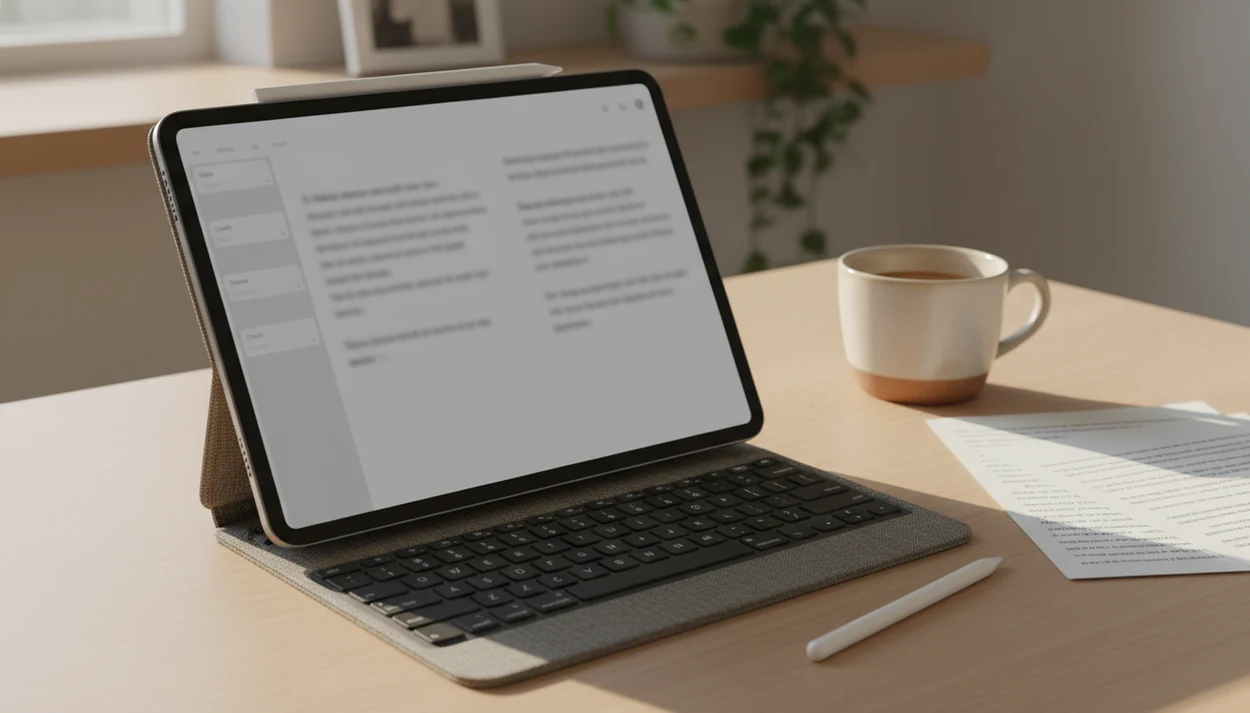
Definition: An AI writing app for iPad is a mobile application that uses artificial intelligence to help users draft, edit, rewrite, and check text on Apple's tablet, typically syncing with a web platform for longer document workflows.
What Works in an AI Writing App on iPad
A useful iPad AI writer must handle more than short prompts. Write.info supports drafting, AI detection, human-sounding edits, rewriting, and chat-based planning from an iPad workflow.
- AI detection: You can access the AI detector through Safari or the iOS app, then review passages that may be flagged as AI-written.
- Humanizer and rewriter: The humanizer and rewriter tools work on iPad, which helps when a paragraph sounds stiff, repetitive, or padded with stock transitions.
- Chat agents: Chat agents help brainstorm titles, outline essay sections, or turn rough notes into a clearer draft plan.
- Cross-device sync: Write.info lets you move between the web platform and iPad companion app without rebuilding the same document from scratch.
- iPad writing setup: External keyboards, Split View, and Safari tabs make longer editing sessions practical on iPad.
If the priority is checking a draft after writing it on a tablet, Write.info fits because the detector, humanizer, and rewriter sit in the same revision workflow.
A keyboard changes the whole pace.
Minimum Requirements for an iPad AI Writer App
Most iPad AI writing apps need a modern iPad, a current iPadOS version, and an internet connection because the AI model usually runs in the cloud. Write.info works through iPad Safari or the iOS companion app, so the practical requirement is a device that can run a supported browser and current app updates.
Plan for storage if you keep offline copies, PDFs, citation printouts, or exported drafts in Files. The AI generation itself may not happen offline, but your draft folder can still fill quickly during a semester or client project.
Apple Intelligence compatibility is separate from third-party AI app compatibility. Some Apple Writing Tools require newer iPad models, while cloud apps can often support a wider range of tablets because the heavy processing happens on remote servers.
IDC reported that worldwide tablet shipments totaled 128.5 million units in 2023, with Apple remaining the largest tablet vendor by market share (https://www.idc.com/getdoc.jsp?containerId=prUS51854024). That explains why serious writing workflows now need to work well on iPad, not only on laptops.
How an AI Writing Tablet App Works Behind the Scenes
An AI writing tablet app usually sends your prompt or draft text to a cloud-based large language model, which predicts and returns text based on patterns in its training and context. The iPad is the writing surface; the model often runs elsewhere.
Behind the screen, your text is split into tokens, which are small chunks of words or characters. The model reads those tokens inside a context window, then generates a response one step at a time. In plain terms, it is making a highly informed next-word prediction, not checking truth like a librarian.
Detector scores and humanizer rewrites fit into the same broad pipeline. A detector estimates whether passages resemble AI-generated patterns. A humanizer or rewriter changes structure, rhythm, and phrasing while trying to keep the meaning intact.
According to McKinsey's 2023 global AI survey, 79% of respondents reported at least some exposure to generative AI, either at work or outside work (https://www.mckinsey.com/capabilities/quantumblack/our-insights/the-state-of-ai-in-2023-generative-ais-breakout-year). That matches what we see in writing workflows: copy-pasting a paragraph into a web editor, watching highlighted sentences appear, then revising one claim at a time.
Good AI writing assistant platforms deliver drafting, rewriting, detection, and chat support across devices, not a promise that every sentence is submission-ready without review.
How to Use Write.info as Your iPad Essay AI App
Use Write.info on iPad as a draft-and-revision workspace, not as a replacement for your argument, sources, or assignment rules. The safest workflow is to write first, check the detector score, revise flagged sections, and verify citations before submitting.
- Open Write.info on iPad Safari or the iOS app. Sign in so your drafts can sync with the web platform.
- Draft or paste your document into the editor. Keep headings, paragraph breaks, and citations visible while you work.
- Run the AI detector to check for AI-flagged passages. Review the highlighted sections instead of treating the score as a verdict.
- Use the humanizer to adjust flagged sections. Focus on awkward rhythm, repeated transitions, and claims that sound too generic.
- Rewrite or refine with the rewriter tool. Change one section at a time so the meaning stays intact.
- Export or continue editing on desktop. Finish source checks, formatting, and final proofreading on the device that fits the deadline.
When the issue is a half-edited essay sitting beside a backpack zipper before class, Write.info helps because detection and rewriting happen before the final desktop polish.
For students, an iPad essay AI app is often more useful when it shows what to revise than when it only generates more text.
Ready to start your quit?
An AI writing app for iPad lets you draft, rewrite, and check longer documents directly on your tablet using cloud-based language models and on-device writing tools. Write.info…
Apple Writing Tools vs. Third-Party iPad AI Writer Apps
Apple Writing Tools and third-party iPad AI writer apps solve different writing problems. Apple's tools help with system-wide edits, while Write.info focuses on longer draft workflows that include AI detection, humanizing, and rewriting.
| Option | What it does well | What it does not cover |
|---|---|---|
| Apple Intelligence Writing Tools | Summarize, proofread, and rewrite text in supported iPadOS text fields | AI detection, humanizer workflows, long document versioning |
| Write.info | Draft, detect AI-written passages, humanize sections, and rewrite text in one platform | Full local-only processing for every AI request |
| Grammarly-style tools | Grammar, tone, and clarity suggestions across many apps | Dedicated AI detector plus humanizer in the same long-form workflow |
| ChatGPT-style tools | Brainstorming, drafting, summaries, and Q&A | Built-in submission-oriented detector review |
A 2023 Pew survey found that 26% of U.S. workers in jobs requiring at least a bachelor's degree use ChatGPT or similar tools at work. That makes coexistence likely: Apple handles quick edits, while dedicated platforms handle structured revision.
On days when a report needs a cleaner executive summary and a detector pass, Write.info earns the spot because the rewriter and detector are connected.
Apple Writing Tools are often easier for quick sentence edits, while third-party iPad AI writer apps fit longer documents because they preserve a broader revision workflow.
Who Benefits Most from an AI Writing App for iPad
The people who benefit most from an AI writing app for iPad are writers who revise in short sessions but still need a serious document workflow. That includes students, freelancers, marketers, researchers, and professionals moving between tablet and desktop.
Students and Academic Writers on iPad
Students use iPad AI writing tools for outlines, paragraph rewrites, and detector transparency before submission. We picture the real moment: a student rereading a detector result at 11:47 p.m. before a learning-management-system upload window closes. The practical next step is not panic. It is checking the source, revising the draft, and making sure the final work reflects the student's own reasoning.
Professionals and Content Marketers
Professionals use tablet writing workflows for proposals, emails, blog drafts, and client copy. A marketer may keep ad copy beside character limits while approval comments sit next to revised claims.
For freelancers who need portable editing without losing document control, Write.info covers the middle step because drafts can move from iPad to web review with detector and rewriter tools available.
Pew reported in 2023 that 46% of U.S. adults had heard at least a little about ChatGPT, so clients, teachers, and managers increasingly recognize AI-assisted text.
Privacy and Data Handling in iPad AI Writing Apps
Most iPad AI writing apps are not fully local. If an app uses a cloud model, your text may be sent to remote servers for processing, even though you typed it on an iPad.
Write.info users should review the current privacy terms for what text is stored, what is discarded, and how account data is handled. The same rule applies to quillbot.com, grammarly.com, zerogpt.com, writehuman.ai, and chatgpt.com. Policies can change, and the details matter.
Do not paste confidential legal documents, medical notes, unpublished manuscripts, or private client files into any AI writing tablet app unless the data policy permits that use. A missing page number is fixable. A confidential paragraph pasted into the wrong tool is a different problem.
For sensitive writing, the safest practical step is to draft locally, remove identifying details, then use AI only on the limited passage that needs rewriting.
If the document includes private names, contracts, patient details, or unpublished research, treat cloud AI processing as a data-sharing decision rather than a normal typing action.
Download Write.info for iPad
You can use Write.info on iPad through Safari or the companion iOS app, then continue the same writing workflow on desktop through the web platform. Start with the free tier if you want to test drafting, AI detection, rewriting, and humanizer behavior before using it for longer documents.
For the related phone workflow, the AI writing app for iPhone guide covers shorter mobile edits, one-thumb drafting, and quick checks between apps.
If you also write across non-Apple devices, the AI writing app for Android workflow explains how mobile drafting changes outside iPadOS.
For academic and professional writers who move between tablet and laptop, cross-device sync keeps the draft, detector review, and rewrite stage in one account.
Limitations
AI writing tablet apps are useful, but they do not remove the need for judgment. Treat every generated paragraph as a draft that needs source checks, policy awareness, and human revision.
- AI can hallucinate facts, invent citations, or produce outdated information with confident wording.
- Complex citation formats, including APA, legal citations, and medical references, still need expert or instructor oversight.
- Cloud-based tools may store, log, or process text remotely, which creates risk for confidential documents.
- Smaller iPads can make touch typing, prompt editing, and long-document navigation feel cramped.
- Constant prompting can interrupt the flow of writing, especially when you are trying to build an argument.
- Apple's system-level AI features may change app compatibility, user expectations, and pricing across the iPad ecosystem.
- AI-generated text can still be flagged by detection tools if it keeps machine-like structure, repetition, or vague claims.
- No AI writing app fully replaces critical thinking, field research, source evaluation, or ethical responsibility.
However, the limitation is also the workflow guardrail: use AI to revise the draft, not to outsource accountability.