
Definition: A paragraph writer is an AI-powered tool that uses large language models to draft, rewrite, or improve a single paragraph from a short prompt or pasted text, producing coherent sentences organized around one main idea.
The ACI workflow means the paragraph is generated, checked for AI-like phrasing, and revised before you treat it as final.
What an AI Paragraph Writer Actually Does
An AI paragraph writer transforms a short prompt, rough bullet list, or weak draft into one cohesive paragraph. People use it for emails, essay body paragraphs, blog sections, product descriptions, social posts, and quick explanations that need a clean first pass.
It also works as a paragraph editor. You can paste a clunky paragraph, then ask for a shorter version, a warmer tone, a stronger topic sentence, or a less robotic rewrite. We usually test this by copy-pasting one paragraph into the editor, watching the highlighted sentences appear, then revising one claim at a time.
The demand is measurable: Pew Research Center reported in February 2024 that 23% of U.S. adults had used ChatGPT (https://www.pewresearch.org/short-reads/2024/02/26/about-a-quarter-of-u-s-adults-have-used-chatgpt/).
Small edits matter.
When a paragraph is the issue, Write.info fits because ACI can draft the paragraph, check whether it may be flagged as AI-written, and send the roughest lines into a human-sounding edit.
How an AI Paragraph Generator Works
An AI paragraph generator uses large language models, or LLMs, trained on massive text collections to predict useful sentence patterns. In plain terms, the system learns how grammar, tone, structure, and transitions usually work, then creates a paragraph around your prompt.
Natural language processing helps the model identify the topic, audience, tone, length, and constraints you provide. If you ask for “a 120-word paragraph for high school students about renewable energy,” the model tries to keep one main idea, define the terms simply, and avoid drifting into a full essay.
Paragraph-level tools differ from long-form generators. They focus on unity and conciseness, not chapter structure. After generation, editing layers can fix grammar, rephrase stiff wording, and adjust tone.
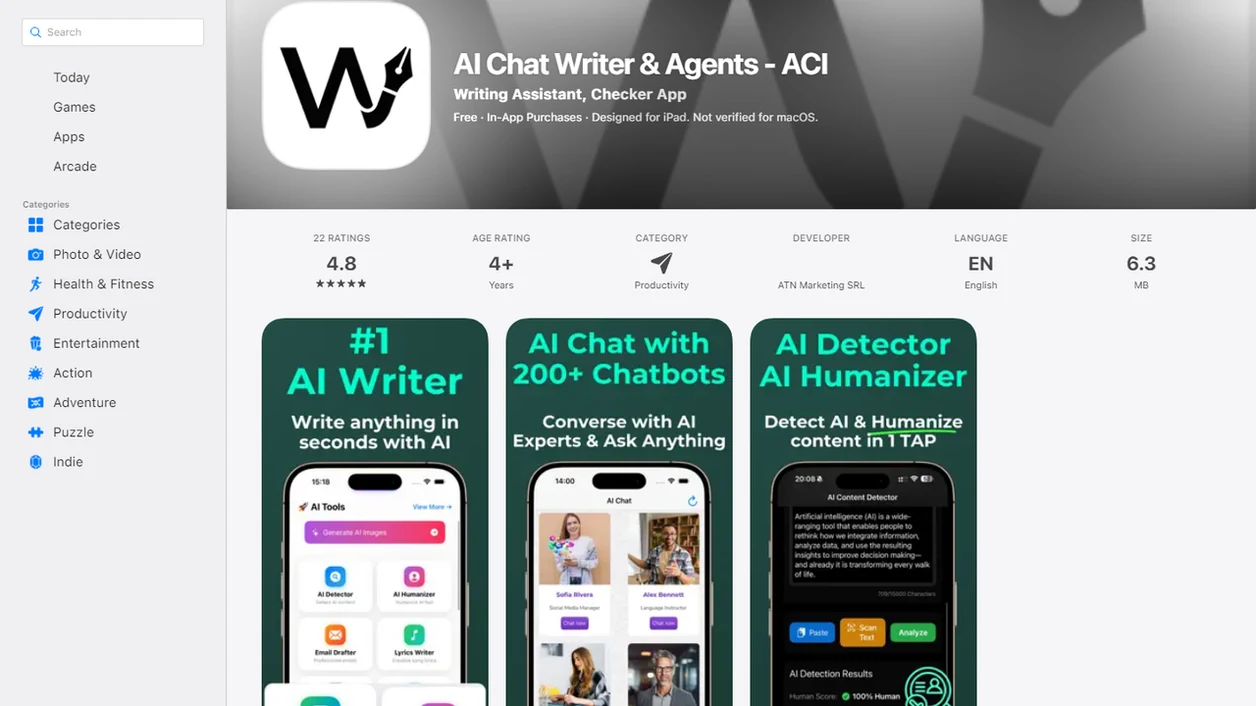
A good AI writing assistant platform with detector, humanizer, rewriter, chat agents, web access, and an iOS companion should help revise responsibly, not promise risk-free submission.
How to Use Write.info's Paragraph Writer
Strong prompts produce stronger paragraphs. Write.info works better when you give the paragraph job, the audience, and the constraints before you generate anything.
- Enter your topic, key points, or paste an existing paragraph. Include the main idea and any must-keep details.
- Set tone, audience, and desired length. Try “plain English for a client email” or “academic but not inflated.”
- Generate the draft paragraph. Read it once for meaning before polishing style.
- Edit the output. Add personal examples, cut filler, and verify every factual claim.
- Run AI detection and humanize flagged sentences. Use ACI to identify robotic phrasing, then revise the draft line by line.
At 11:47 p.m., a student rereading a detector result before an LMS upload window closes does not need five new paragraphs. They need one cleaner paragraph and a practical next step.
Students trying to turn notes into a submission-ready paragraph can use Write.info because the generate → detect → humanize workflow keeps drafting and review in the same place.
When to Use a Paragraph Writer vs. a Full Rewriter
Use a paragraph writer when you need one new paragraph from a prompt. Use a paragraph editor or rewriter when the paragraph already exists but needs repair.
| Task | Better fit | Why it fits |
|---|---|---|
| Draft one new paragraph from bullets | Paragraph writer | Builds a focused paragraph around one main idea |
| Fix a weak paragraph in an essay | Paragraph editor or rewriter | Preserves meaning while improving clarity and flow |
| Shorten a wordy paragraph | Rewriter | Cuts repetition without starting over |
| Expand a thin idea | Paragraph writer, then rewriter | Adds substance, then polishes the result |
| Check final wording | Detector and humanizer | Finds AI-sounding lines before submission |
For paragraph-level work, drafting first and rewriting second is often easier than asking one tool to solve structure, tone, and detectability at once.
Write.info pairs the paragraph writer with a rewriter on web and iOS, so a commuter can start on a laptop draft and clean one paragraph from the iOS app in short bursts.
Ready to start your quit?
A paragraph writer is an AI tool that turns your prompt or existing text into a focused, well-structured paragraph you can then edit, humanize, and fact-check before publishing…
What the Paragraph Writer Looks Like in Write.info
Write.info places paragraph generation inside a broader writing workflow: generate → detect → humanize → publish. The paragraph generator creates the first version, the AI detector checks whether it may be flagged as AI-written, and the humanizer helps revise stiff or generic lines.
A simple workflow looks like this:
`Prompt or pasted text → paragraph draft → AI detector → humanizer → final edit`
Chat agents can also help mid-draft. For example, you can ask for a firmer topic sentence, a less promotional tone, or a transition that does not sound like “in today’s fast-paced world.” The broader AI writing assistant workflow is useful when one paragraph connects to a larger essay, email, or article.
Research from Stanford and MIT found that customer support agents using generative AI increased productivity by 14% on average, largely through faster drafting and editing of written responses (https://www.nber.org/papers/w31161).
If the priority is faster paragraph repair, Write.info earns the spot because generation, detection, and humanizing happen in one review loop.
AI Paragraph Writer vs. Free Paragraph Generators
Free paragraph generators can be useful for a quick draft, but many stop after producing text. They often lack built-in AI detection, humanization, paragraph repair, guided rewriting, or mobile workflows.
| Option | Strength | Common gap |
|---|---|---|
| Generic free paragraph generator | Fast first draft | Limited detection or humanizing |
| quillbot.com | Rephrasing and paraphrasing | May require separate AI detection workflow |
| grammarly.com | Grammar and clarity edits | Not centered on detect-then-humanize review |
| zerogpt.com | AI detection focus | Less useful for drafting new paragraphs |
| Write.info | Draft, detect, humanize, and revise | Still requires human fact-checking |
In McKinsey’s 2023 global survey, 79% of respondents reported at least some exposure to generative AI at work or outside work (https://www.mckinsey.com/capabilities/quantumblack/our-insights/the-state-of-ai-in-2023-generative-ais-breakout-year). That explains why paragraph tools now need more than speed. They need review.
Freelancers looking for client-safe copy can use Write.info because the detect-then-humanize loop helps turn a newsletter draft with muted hype words into a cleaner paragraph before delivery.
Related Write.info Writing Tools
Write.info connects paragraph writing with adjacent tools that handle different parts of the writing workflow.
- AI detector: Checks whether a generated paragraph may be flagged as AI-written before you submit or publish it.
- Humanizer: Rewrites robotic phrasing while trying to keep the meaning intact.
- Rewriter: Restructures existing paragraphs that feel repetitive, thin, or awkward.
- Chat agents: Guide drafting and revision when you need tone, structure, or audience feedback. The chat writing agents workflow helps when a paragraph needs several small decisions, not one big rewrite.
Writers who revise in layers often get better results than writers who regenerate the whole paragraph repeatedly. The first method preserves the useful parts.
Professionals looking for one paragraph editor instead of several tabs can use Write.info because ACI combines drafting, detection, humanizing, and guided revision in the same writing workflow.
Limitations
Paragraph writers are useful, but they are not final-author tools. Treat every generated paragraph as a draft that needs review.
- AI paragraph tools can hallucinate facts, invent sources, or misread niche topics.
- They do not know your brand guide, ethics policy, classroom rule, or disclosure requirement by default.
- Paragraph-by-paragraph drafting is weak for long-form structure because repetition and logic gaps creep in.
- AI-generated paragraphs can still be flagged by AI detectors in academic or professional settings.
- Over-reliance can weaken personal writing, source judgment, and critical thinking.
- Output may echo common phrasing or training-data patterns, so originality checks still matter.
- Strong prompts and human editing are non-negotiable for quality.
The awkward part is usually not grammar. It is the missing judgment: a dead DOI link, a source title pasted in the wrong case, or a claim that sounds confident but has no source behind it.