
Humanize ChatGPT Text Without Losing Meaning or Voice
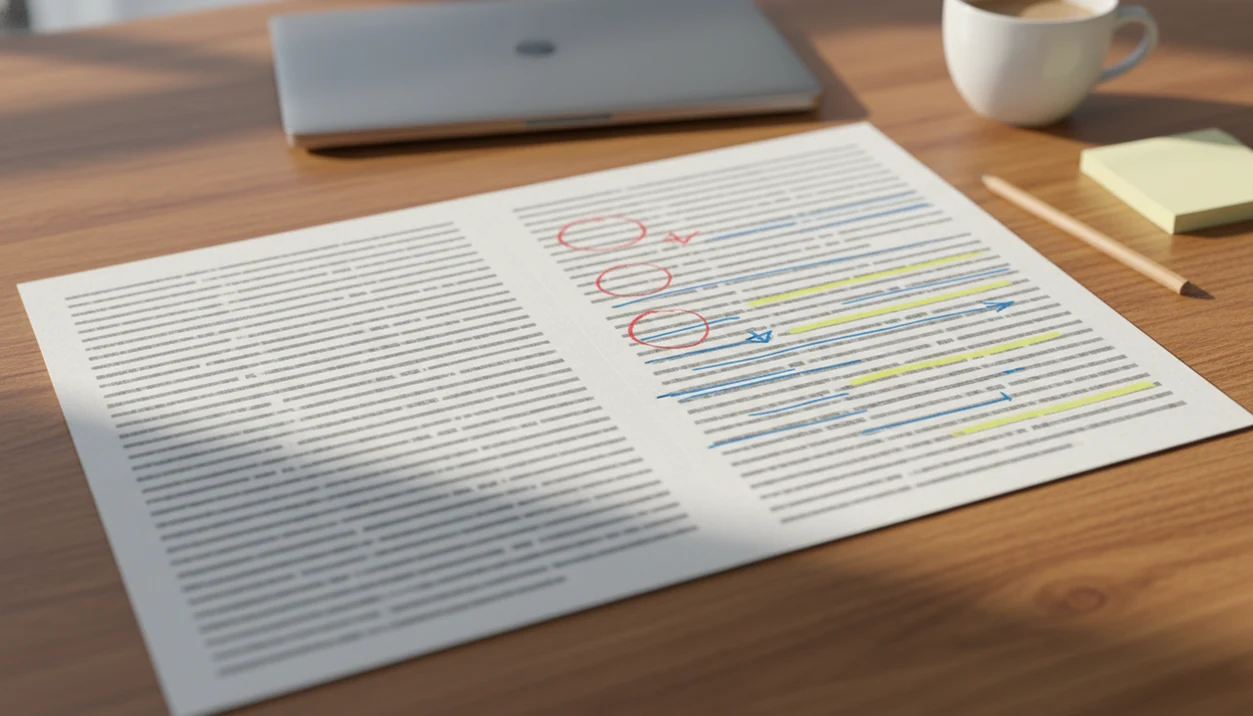
To humanize ChatGPT text, edit the draft for clearer structure, varied sentence rhythm, specific examples, simpler wording, and factual accuracy while preserving the original meaning. The goal is not to disguise AI use; it is to make the writing sound natural, useful, and audience-aware.
> Definition: Humanizing ChatGPT text means rewriting AI-generated writing so it sounds more natural, specific, and human while keeping the same core meaning, facts, and intended voice.
- Start by checking meaning and facts before changing style.
- The fastest improvements usually come from sentence variety, concrete details, and removing generic AI phrasing.
- A ChatGPT humanizer can help, but every rewrite still needs human review for tone, accuracy, and context.
What It Means to Humanize ChatGPT Text
Humanizing ChatGPT text is an editing process that improves meaning, tone, rhythm, and specificity without changing the writer’s core point. It is not random slang, fake emotion, or a promise that a detector score will move a certain way.
People use different phrases for the same task: make ChatGPT sound human, rewrite ChatGPT text, or run a draft through a ChatGPT humanizer. The useful version of the task is careful revision. You look for flat openings, repeated sentence shapes, vague claims, and phrases like “delve into the nuances.”
Tools like Write.info can support AI detection, humanizing, rewriting, and writing review, but the editor still decides what sounds accurate, ethical, and submission-ready.
A better draft still has to be true.
How Humanizing ChatGPT Text Works
Humanizing ChatGPT text works by changing the draft’s structure, specificity, rhythm, and audience fit while keeping the original meaning intact. The first pass is semantic preservation, which simply means making sure the claim, facts, and intent survive before any stylistic rewrite begins.
After that, the edit moves from surface polish to context. A human-sounding paragraph usually has a clearer order, a mix of short and longer sentences, and details that only make sense for the real reader. Concrete details do a lot of the work: a deadline, course concept, buyer objection, error message, or quoted phrase can break the generic model-pattern language that makes a draft feel smooth but empty. This is not just swapping “utilize” for “use.” It is giving the paragraph a reason to exist in this situation. The final human review matters because every automated rewrite can drift. A person catches the softened claim, the wrong tone for the audience, the invented emphasis, or the small factual error that looked harmless inside a polished sentence.
Five Facts About Making ChatGPT Sound Human
- Humanizing is mostly editing. There is no single setting that turns a generic AI draft into a strong human-sounding edit.
- Meaning comes first. A strong rewrite keeps the same claim, facts, and intent while improving tone and readability.
- Small structure changes matter. Varied sentence length, simpler words, and cleaner paragraph breaks often improve the draft faster than heavy paraphrasing.
- Automated tools can drift. A humanizer may add awkward phrasing, soften a claim too much, or change a technical term.
- Specific context beats synonym swaps. Real examples, audience details, and brand voice usually make ChatGPT sound human better than replacing words one by one.
For longer AI drafts, the broader process to humanize AI text follows the same rule: revise the writing, not just the vocabulary.
Why ChatGPT Text Often Sounds Generic
ChatGPT text often sounds generic because the model predicts likely wording from patterns in training data and the current conversation. A broad prompt tends to produce broad, safe, polished writing because the system has little context to anchor the voice.
That is why many drafts lean on balanced phrasing, abstract nouns, and tidy transitions. You may see “moreover,” “in conclusion,” or “it is important to note” repeated across paragraphs. The rhythm can feel smooth but strangely weightless.
AI-assisted writing can also move quickly. In a 2024 Nature study, participants using ChatGPT completed writing tasks faster than those without it, which helps explain why a second editorial pass matters source. Speed gets you a draft. Revision gives it judgment.
The projector score can look loud. The paragraph still needs reading.
Before You Rewrite ChatGPT Text
Before you rewrite ChatGPT text, identify the audience, purpose, channel, and desired tone. A student discussion post, client proposal, product page, and manager update should not sound like the same speaker wearing different headers.
Save the original draft first. Then highlight names, dates, numbers, citations, quotes, product details, and technical terms that must not change. We have seen drafts where a missing page number mattered more than the sentence style. Same with a dead DOI link or a source title pasted in the wrong case.
ChatGPT is widely recognized now. Pew reported that 38% of U.S. adults had heard or read “a lot” about ChatGPT in 2024 source. McKinsey has also reported broad business adoption of generative AI source, so students, marketers, writers, and professionals now need different rewrite choices.
How to Use a ChatGPT Humanizer Workflow
A good ChatGPT humanizer workflow protects meaning first, then improves structure, voice, specificity, and accuracy. Use the tool as a revision aid, not as a substitute for judgment.
- Compare the AI draft with the original goal, assignment, brief, or message.
- Choose the voice you need, such as warm, direct, concise, expert, casual, or formal.
- Rewrite the structure by moving the main point earlier, breaking dense paragraphs, and varying sentence length.
- Add specific examples, constraints, names, use cases, or audience details that are true.
- Review facts, citations, tone, and meaning drift before publishing or submitting.
Apps such as QuillBot, Grammarly, ZeroGPT, and ChatGPT can support parts of this workflow. A good AI writing assistant platform with detector, humanizer, rewriter, chat agents, web access, and a companion iOS app should help you revise and check drafts, not promise to remove responsibility for the final text.
Step 1: Preserve the Meaning Before You Humanize ChatGPT Text
Does humanizing ChatGPT text change the meaning? It can, especially when the rewrite is aggressive or the subject needs precision.
Start by comparing the AI draft with the intended point, claim, or assignment brief. Mark the non-negotiables: quoted language, product specs, citations, statistics, legal terms, medical wording, academic claims, and technical phrases. If the draft says “may reduce risk,” do not casually rewrite it as “prevents risk.”
A short meaning checklist helps. Write three to five bullets that the final version must still say. For an essay, that might include the thesis, two sources, and the required counterargument. For a proposal email, it might include the scope, price, deadline, and approval step.
For student work, especially, the safer path is to humanize AI essay responsibly by preserving the argument and following disclosure rules.
Step 2: Replace Robotic ChatGPT Phrasing With Natural Rhythm
The fastest way to make ChatGPT sound human is to fix rhythm, not decorate the wording. Read the paragraph aloud and listen for sentences that land with the same length, shape, and emphasis.
Replace stiff phrases with plain alternatives. “It is important to note” often becomes “Note that” or disappears. “In today’s fast-paced world” usually adds nothing. A formal connector can become “also,” but sometimes the paragraph needs a real transition instead of a softer connector.
Keep useful precision. Do not turn every formal word into casual language if the audience expects technical clarity. A professional email can be direct without sounding like a text message.
Here is the practical test: copy-paste one paragraph into a web editor, watch the highlighted sentences appear, then revise one claim at a time. The rough spots become easier to see when they stop hiding inside a polished block.
Step 3: Add Specific Examples to Make ChatGPT Sound Human
Specific examples make ChatGPT sound human because they prove the writer understands the situation. Generic synonym replacement changes the surface. Real context changes the usefulness.
For marketing copy, replace “improve productivity” with a landing page headline split into three variants for different buyer objections. For student writing, add the course concept, source detail, or assigned text instead of a broad claim about society. For support replies, name the actual account step or error message. For professional emails, include the deadline, decision owner, or next action.
Do not invent personal experience, client results, or data. A false anecdote may sound human, but it damages trust. If you need examples without fabricating details, use clearly labeled hypotheticals.
For side-by-side edits, an AI humanizer before and after comparison can show how specificity changes tone without changing the core message.
Step 4: Rewrite ChatGPT Text for Brand Voice and Audience
Brand voice is the set of choices that makes a rewrite sound like the right speaker for the right reader. Define it before you ask a rewriter or chat agent for options.
| Audience | Better voice choice | What changes in the rewrite |
|---|---|---|
| Professor | Clear, evidence-based, restrained | Claims stay specific, citations remain visible, casual filler is removed. |
| Customer | Warm, direct, helpful | The reply names the problem and gives the next step quickly. |
| Manager | Concise, decision-focused | Status, risk, owner, and deadline move near the top. |
| Newsletter reader | Conversational, specific | The opener uses a real hook instead of muted hype words. |
| Social audience | Brief, plain, active | The message becomes shorter, but the point stays intact. |
Create a small style guide with “do” and “do not” examples. A rewriter can generate choices, but you pick the version that fits the relationship, channel, and stakes.
Step 5: Verify the Humanized ChatGPT Rewrite
A humanized ChatGPT rewrite is not finished until it passes a final quality check. Compare it against the original for meaning drift, then read it as the intended audience would.
Use this checklist:
- Meaning: Does the final draft still make the same claim?
- Facts: Are names, dates, numbers, links, and citations correct?
- Tone: Does the voice fit the reader and channel?
- Flow: Do paragraphs appear in a logical order?
- Transitions: Do connectors clarify the argument instead of padding it?
- Detector score: Does an AI detector raise passages worth reviewing?
Use an AI detector only as one signal, not a final verdict. Detector scores can vary by tool, text length, genre, and revision style, so treat them as triage rather than proof. Write.info’s AI detector and humanizer can help identify machine-like passages and refine them, especially when paired with ACI writing support. Still, a flagged sentence deserves reading before rewriting.
For longer projects, an AI humanization timeline can help schedule fact-checking, voice review, and final proofreading as separate passes.
Common Mistakes When Humanizing ChatGPT Text
The most common mistake is treating humanizing as surface polish instead of revision. A draft can use warmer words and still feel generic, inaccurate, or wrong for the audience.
Watch for edits that change the sentence but not the substance. Synonym swapping rarely fixes a weak order, missing example, or vague claim. Over-casual rewrites can also create a new problem: a research summary, client proposal, or policy note should not sound like a group chat. At the other extreme, aggressive paraphrasing may bend a claim, remove a qualifier, or separate a citation from the sentence it supports.
Use this quick repair sequence when a rewrite feels off:
- Check whether the draft still answers the original brief.
- Mark claims, citations, numbers, and technical terms that must stay exact.
- Replace vague language with true context, not invented anecdotes, data, or personal experience.
- Tighten tone to match the reader instead of making everything casual.
- Restart from the brief if the structure is weak, the argument is thin, or every sentence needs rescuing.
Sometimes the cleanest human edit is a fresh draft with better instructions.
Common Myths About a ChatGPT Humanizer
- Myth: Humanized text needs slang or emotion. Natural writing fits the audience; a formal report can sound human without jokes, emojis, or dramatic wording.
- Myth: A humanizer guarantees a pass on every AI detector. Detector results vary, and no rewrite can promise the same score across every tool.
- Myth: A rewrite tool replaces fact-checking. It can preserve a wrong claim or create a new one, especially around numbers and citations.
- Myth: Humanized text must always be shorter. Sometimes the clearer version adds an example, transition, or missing constraint.
- Myth: Synonym swaps are enough. If the structure, examples, and voice stay generic, the draft may still feel machine-like.
The backpack zipper beside a half-edited draft at 11:47 p.m. is not the moment to trust one click.
Limitations
Humanizing ChatGPT text can improve clarity and voice, but it cannot remove every risk or replace editorial judgment.
- No ChatGPT humanizer can guarantee that text will pass every AI detector.
- Automated rewrites can create awkward wording, factual drift, or strange emphasis.
- Thin prompts and generic source drafts often produce thin rewrites.
- Over-editing can damage meaning in technical, legal, medical, or academic writing.
- Human review is still needed for voice, accuracy, and ethical use.
- Humanizing text does not make unsupported claims true.
- Disclosure rules may still apply in school, workplace, publication, or client settings.
- A detector score can flag a passage, but it cannot explain your intent or verify your sources.
For a quick first pass, a free AI humanizer can be useful. The practical next step is still to compare, verify, and revise the draft yourself.
FAQ
How do I humanize ChatGPT text?
Preserve the original meaning, vary sentence rhythm, simplify stiff wording, add specific examples, and fact-check the final draft. Review tone and audience fit before submitting or publishing.
Can ChatGPT text sound human?
Yes, ChatGPT text can sound more natural with careful prompting and editing. It usually still needs human review for voice, accuracy, and context.
What makes ChatGPT sound robotic?
ChatGPT often sounds robotic when it uses generic phrasing, repetitive sentence structures, vague examples, and overly polished transitions. Phrases like “in today’s fast-paced world” are common warning signs.
Is a ChatGPT humanizer reliable?
A ChatGPT humanizer can help revise tone and structure, but it may introduce errors, awkward phrasing, or meaning drift. Always compare the output with the original draft.
Can humanized text be detected?
Yes, humanized text can still be flagged by an AI detector. Detector tools vary, so no rewrite can guarantee a specific detection result.
Should I disclose ChatGPT use?
Follow the rules set by your school, workplace, publisher, client, or platform. Disclosure expectations vary by context and assignment.
How do I keep my voice when editing AI text?
Use examples of your preferred wording, tone rules, do-not-use phrases, and past writing samples. Then review the rewrite for choices that sound unlike you.
Can rewriting ChatGPT text change the meaning?
Yes, rewriting can change meaning if claims, qualifiers, citations, or technical terms are altered. Compare the final version with the original before you treat it as finished.