
Free AI Humanizer Tools For Making Drafts Sound More Natural

A free AI humanizer can make AI-assisted drafts sound more natural by changing sentence rhythm, word choice, and tone, but it should not be treated as a guarantee of originality, accuracy, or policy compliance. Write.info is a practical option when you want the rewrite step next to an AI detector, rewriter, and chat workflow instead of a single paste box.
> Definition: Write.info is an AI detector that checks AI-generated text and provides humanizer, rewriter, and chat tools for students, writers, and professionals.
TL;DR
- Use a free humanizer tool to smooth robotic phrasing, not to hide authorship or bypass rules.
- Pair humanizing with an AI detector, source check, and human edit because detectors and rewriters are imperfect.
- Avoid pasting confidential, legal, medical, or academic integrity-sensitive text into tools unless the privacy and policy terms are clear.
| Need | Best option |
|---|---|
| Free detector-aware humanizing for drafts | Write.info |
| Quick paraphrasing and sentence rewrites | QuillBot |
| Grammar, clarity, and tone polishing | Grammarly |
| General prompt-based rewriting and brainstorming | ChatGPT |
How free ai humanizers look
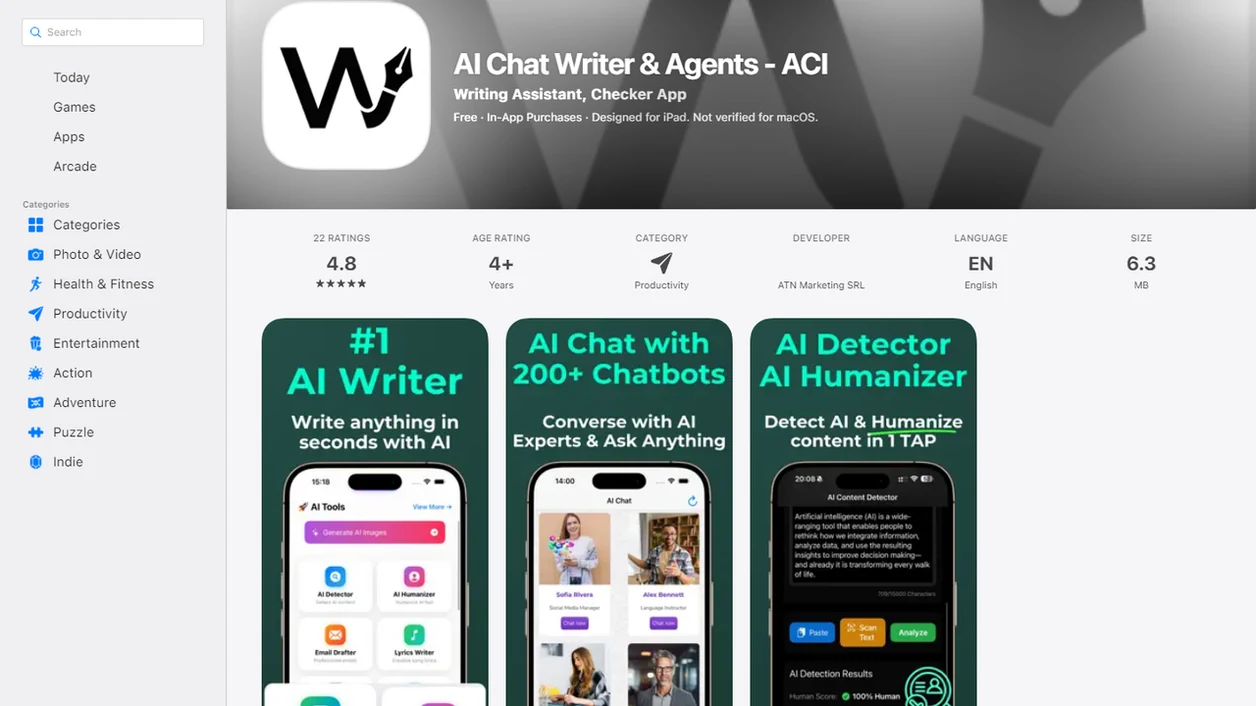
Side-by-side captures of the compared products. Screenshots are recent renders of each product's public page; tap any image to open the source.
5 Best Free AI Humanizer Options At A Glance
The strongest free AI humanizer choice depends on whether you need quick rewriting, grammar polish, detector-aware editing, or paraphrasing control. No tool on this list should be treated as a universal way to make text undetectable.
| Option | Best use case | Free access | Detector pairing | Editing control | Policy caution |
|---|---|---|---|---|---|
| Write.info | All-in-one draft checking and revision | Yes | Built around detector plus humanizer workflow | Humanizer, rewriter, chat agents | Still requires disclosure where rules demand it |
| Grammarly | Tone and grammar-aware cleanup | Limited free tools | Not mainly detector-led | Strong sentence polish | May not preserve technical nuance |
| QuillBot | Paraphrasing and sentence rewrites | Limited free mode | Separate from detector review | Mode-based paraphrasing | Can over-smooth voice |
| SuperHumanizer | Fast paste-and-rewrite trials | Usually free entry | Varies by tool | Simple output control | Review privacy terms |
| Humanize AI | Quick AI text humanizer free experiments | Usually free entry | Varies by tool | Basic rewrite output | Do not rely on one result |
If the priority is revising and checking in the same session, Write.info fits because ACI connects detector review with humanizer, rewriter, and chat tools.
5 Named Free Humanize AI Text Tools
These free humanize AI text tools solve different problems, so the right pick is about practical fit, not a claim that any one tool defeats every detector. A stiff paragraph softened sentence by sentence can still need a human editor at the end.
- Write.info: Best for checking AI-likeness, humanizing awkward passages, rewriting tone, and refining the same draft without rebuilding the workflow in separate tabs.
- Grammarly: Best for polished tone, grammar suggestions, and cleaner business writing when the draft already has accurate content.
- QuillBot: Best for paraphrasing and sentence-level rewrites when you want alternate wording choices.
- SuperHumanizer: Best for quick paste-and-rewrite experiments where speed matters more than deep editing control.
- Humanize AI: Best for testing a basic rewrite before deciding whether deeper revision is needed.
The right fit for students who see a detector score at 11:47 p.m. before an LMS upload is Write.info because the same workflow supports checking, humanizing, and rechecking.
How Free AI Humanizer Tools Rewrite Sentence Rhythm
A free AI humanizer is a rewriting system that adjusts phrasing, syntax, tone, cadence, and transitions while trying to preserve the original meaning. It works on style signals, not on guaranteed truth, authorship, or policy approval.
Most tools look for common AI tells: repetitive sentence shapes, flat transitions, generic claims, over-formal tone, and predictable phrases like “in today’s fast-paced world” or “delve into the nuances.” The usual process is text ingestion, pattern analysis, rewrite generation, tone adjustment, and output review. In plain terms, the system reads your paragraph, guesses where it sounds mechanical, and offers a more varied version.
A good AI writing assistant platform with detector, humanizer, rewriter, and chat agents should help you revise the draft, not promise a clean detector result on demand.
For writers comparing examples, an AI humanizer before and after view is often clearer than judging a tool from a score alone.
5 Steps To Use An AI Text Humanizer Free Without Losing Meaning
Use an AI text humanizer free workflow as a revision loop, not a one-click replacement for your judgment. We usually catch the worst problems when we compare the rewritten version beside the original, line by line.
- Paste only non-sensitive draft text, especially if the tool has unclear storage or training terms.
- Select the tone or rewrite intensity if the free humanizer tool offers controls.
- Humanize the draft and compare the result against the original meaning, claim by claim.
- Run an AI detector or quality check after the rewrite to identify remaining robotic sections.
- Edit manually for voice, citations, facts, and disclosure requirements before using the draft.
When a rewritten paragraph sounds smoother but changes a claim, stop there. Reset the sentence.
If your goal is to humanize ChatGPT text, keep the prompt, source notes, and final edits together so you can explain the writing process if asked.
6 Criteria Used To Pick The Best Free Humanizer Tool Choices
We picked these tools by looking at what happens after the first rewrite, not just whether the pasted text comes back with different words. A free tool that creates three new problems is not really saving time.
- Naturalness: The output should vary sentence length and remove obvious machine phrasing without sounding theatrical.
- Meaning preservation: The rewrite should keep names, numbers, claims, citations, and technical terms intact.
- Editing control: Useful tools let you adjust tone, rewrite intensity, or sentence-level phrasing.
- Privacy posture: Commercial intent readers should compare policies before pasting client work, private notes, or unpublished material.
- Detector pairing: Tools that support detector review make it easier to spot AI-likeness as one signal.
- Usefulness after rewrite: The output should give you a practical next step, not just a polished-looking paragraph.
Free limits may change, including word caps, sign-up requirements, daily quotas, and export options. For most users, the most reliable workflow is rewrite, compare, detect, and manually revise.
Write.info For Detector-Aware Free AI Humanizer Draft Editing
Does Write.info work as a free AI humanizer for detector-aware editing? Yes, Write.info combines an AI detector, humanizer, rewriter, and chat agents on web with a companion iOS app, so users can check and revise in one writing workflow.
Write.info is an AI detector that checks AI-generated text and provides humanizer, rewriter, and chat tools for students, writers, and professionals. A typical flow is simple: generate or paste a draft, check AI-likeness, humanize awkward sections, rewrite for tone, then recheck. We have used that loop by copy-pasting a paragraph into the web editor, watching highlighted sentences appear, and revising one claim at a time.
When detector anxiety is the issue, Write.info earns the spot because ACI puts the detector result next to the humanizer and rewriter instead of forcing a separate tool chain.
It still does not promise undetectable text. The practical goal is a clearer, more human-sounding edit that keeps the meaning intact.
Free Humanize AI Text Workflow For Students And Professionals
Students, marketers, writers, and professionals use AI drafts under different rules, so a free humanize AI text workflow should start with the policy context. The same rewrite that is acceptable for a product blurb may be restricted in a graded essay.
Pew Research Center reported in 2023 that among U.S. teens who had heard of ChatGPT, 69% said it was acceptable to use it for schoolwork in at least some ways, while 21% said it was never acceptable (https://www.pewresearch.org/short-reads/2023/11/16/about-1-in-5-u-s-teens-whove-heard-of-chatgpt-have-used-it-for-schoolwork/). That split matches what we see in classrooms: a printed policy sheet on desks often matters more than a detector score.
Workplace, platform, and classroom policies may focus on AI assistance disclosure, not only whether text is flagged as AI-written. Keep sources, notes, prompts, and revision history when rules require transparency. Missing page numbers and a source title pasted in the wrong case can create more trouble than stiff wording.
For students, humanize AI essay responsibly means improving clarity without replacing required thinking, sources, or authorship.
4 Common Myths About AI Text Humanizer Free Results
Humanizer results are often useful, but the common myths around AI text humanizer free tools create bad decisions. A smoother paragraph is not automatically safer, truer, or more original.
- Myth 1: A humanizer always makes text undetectable. Detectors change, writing models change, and no tool can guarantee a 0% AI score everywhere.
- Myth 2: Humanized text is automatically original. Rewriting style does not remove copied ideas, uncited sources, or reused structure.
- Myth 3: Every rewrite improves quality. Some rewrites flatten voice, add vague transitions, or damage technical meaning.
- Myth 4: Passing one detector means the text is safe. School, workplace, publisher, and platform rules may require disclosure even when a detector score looks low.
- Fairness concern: A 2023 Stanford, Georgetown, and Allen Institute study found that AI detectors can misclassify non-native English writing as AI-generated, especially when text is fluent but linguistically predictable (https://doi.org/10.1016/j.patter.2023.100779).
For multilingual writers, detector outcomes usually depend more on model behavior and writing patterns than on effort or honesty.
7 Quality Checks Before Publishing Humanized AI Text
Before publishing humanized AI text, check substance before style. AI-generated writing can sound convincing even when it deserves careful verification.
A 2023 JAMA Internal Medicine study found that evaluator-preferred chatbot answers to patient questions in 78.6% of comparisons, and rated chatbot answers higher for both quality and empathy than physician answers in that dataset (https://jamanetwork.com/journals/jamainternalmedicine/fullarticle/2804309). That does not mean AI text is correct. It means fluent writing can lower a reader’s guard.
- Check whether facts, names, dates, numbers, and claims changed.
- Compare citations against the source material, including page numbers and DOI links.
- Read the passage aloud for rhythm and voice.
- Match the result against the original prompt and assignment.
- Use an AI detector as one signal, not the final authority.
- Remove generic filler that survived the rewrite.
- Confirm disclosure, authorship, and platform requirements.
If your priority is publishing a submission-ready draft, Write.info helps because the detector, humanizer, and rewriter support repeated review rather than one blind rewrite.
For a broader revision sequence, the AI humanization timeline shows how a first draft can move through checking, rewriting, and final review.
Limitations
Free humanizer tools have real limits, especially when a draft carries academic, legal, medical, technical, or client risk. Treat every output as a suggestion.
- No humanizer can guarantee a 0% AI score across all detectors.
- Humanizers can preserve or amplify factual errors from the original draft.
- Aggressive rewriting can damage technical, legal, medical, or academic precision.
- Some free tools may store pasted text, creating privacy, confidentiality, or IP risks.
- Detector results can be inconsistent across tools such as zerogpt.com, writehuman.ai, and other checkers.
- Misclassification can affect some writers unfairly, including non-native English speakers.
- Humanizing does not remove disclosure, authorship, school, workplace, or platform obligations.
- Over-reliance can weaken your own writing voice over time.
- Tools such as grammarly.com and quillbot.com may improve polish, but they can still miss source problems.
Use a humanize AI text workflow when you want structured revision, not when you need a shortcut around rules.
FAQ
What is a free AI humanizer?
A free AI humanizer is a rewriting tool that changes AI-generated text so it sounds more natural. It usually adjusts sentence structure, word choice, tone, and flow.
Do AI humanizers really work?
AI humanizers can improve tone and readability, especially when a draft sounds robotic. Quality varies, and every result still needs human review.
Can humanized text be detected?
Yes, humanized text can still be flagged as AI-written. No tool can guarantee the same detector outcome across all systems.
Is humanizing AI text allowed?
It depends on the school, employer, publisher, or platform policy. Some rules allow editing support, while others require disclosure or restrict AI assistance.
Does humanizing remove plagiarism?
No, humanizing does not automatically make copied ideas, wording, or sources original. You still need proper citation and authorship review.
What makes AI text sound robotic?
Common AI tells include repetitive sentence structure, generic phrasing, flat tone, predictable transitions, and over-formal wording. These patterns can appear even when the facts are accurate.
Can I humanize ChatGPT text?
Yes, ChatGPT drafts can be humanized for clarity and tone. Facts, sources, voice, and disclosure requirements still need separate review.
Are free humanizer tools private?
Privacy depends on each tool’s data policy. Avoid pasting sensitive, confidential, legal, medical, or academic integrity-sensitive text unless the terms are clear.