Free AI Grammar Checker Online
Find and fix grammar, spelling, and punctuation errors instantly. Paste your text and get corrections in seconds.
What Is an AI Grammar Checker
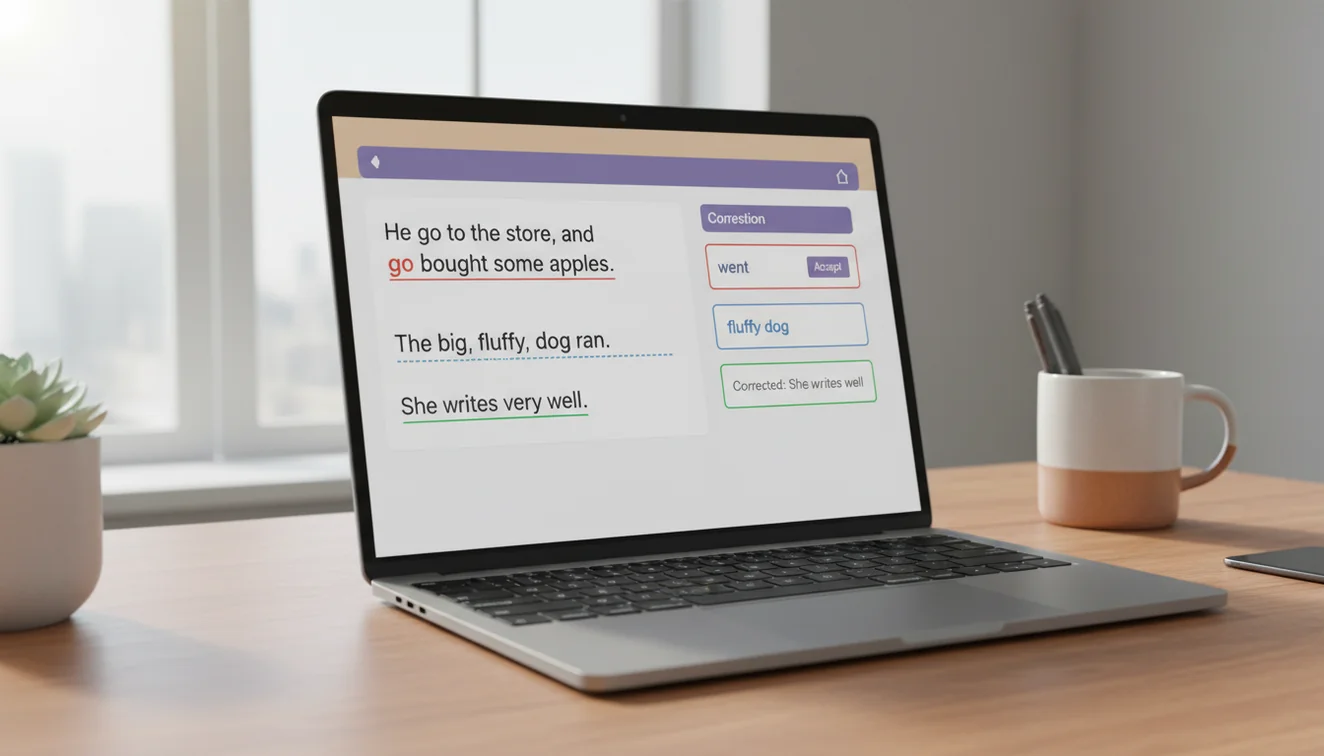
An AI grammar checker is an online tool that scans written text for grammatical errors, spelling mistakes, and punctuation problems. It uses natural language processing to understand sentence structure and context, then suggests corrections. Unlike basic spell checkers, an AI grammar checker identifies errors that depend on how words relate to each other within a sentence.
I have run hundreds of documents through grammar checkers over the past few years; everything from quick emails to ten-page reports. The difference between a rule-based checker and an AI-based one becomes obvious fast. A rule-based system flags "their" as correct regardless of context because it is a real word spelled correctly. An AI checker reads the sentence "Their going to the meeting at noon" and flags "Their" because the context requires "They're." That distinction alone catches errors that older tools miss entirely. It changed how I approach proofreading. I now write the full draft without stopping to fix errors, then run the entire thing through the checker in one pass. It catches mistakes my eyes skip over because my brain auto-corrects familiar text.
The accuracy of AI grammar checking has improved substantially in the last two years. Current models understand subject-verb agreement across complex sentences, identify dangling modifiers, catch tense inconsistencies within paragraphs, and flag comma splices that many native English speakers do not even recognize as errors. They are not infallible - no grammar tool is; but they have moved well beyond the "squiggly red line" era of basic word processing spell checks. Write.info uses GPT-4o-mini for grammar analysis, which provides contextual understanding that simpler pattern-matching tools cannot replicate.
What a grammar checker will not do is make your writing good. It will make it correct. Those are different things. A grammatically flawless paragraph can still be dull, unclear, or poorly organized. Grammar checking is one step in the editing process, not the whole process. But it is a step that catches real errors, and skipping it means publishing mistakes that undermine the credibility of otherwise solid writing.
How to Use the AI Grammar Checker
- Copy the text you want to check. This can be an email draft, an essay paragraph, a blog post section, a cover letter, or any English text. Select and copy it from your document or writing application.
- Paste your text into the input box above. The tool accepts up to 5,000 characters per submission. For longer documents, check one section at a time to get focused results for each part.
- Click "Check Grammar" to analyze your text. The AI processes your text and returns feedback identifying grammar errors, spelling mistakes, punctuation issues, and usage problems within seconds.
- Review each suggestion carefully. The tool highlights errors and provides corrections. Read each suggestion in the context of your full sentence before accepting it. Not every suggestion will be appropriate; intentional style choices, brand names, and technical terms may be flagged incorrectly.
- Apply the corrections that make sense. Accept clear error fixes like misspellings and agreement errors. For style suggestions or flagged constructions that you used deliberately, trust your judgment and keep the original.
- Re-check the corrected text if needed. After making changes, you can paste the revised text and run a second check to catch anything that slipped through or was introduced during editing.
Types of Errors the Grammar Checker Detects
The grammar checker identifies errors across several categories. Understanding what it looks for helps you interpret its suggestions and decide which ones to accept.
Subject-verb agreement. These are errors where the subject and verb do not match in number. "The list of items are ready" should be "The list of items is ready" because the subject is "list," not "items." These errors are common in sentences with prepositional phrases between the subject and verb, and they frequently escape self-editing because the ear gravitates toward the nearest noun.
Tense consistency. Shifting between past and present tense within a paragraph is one of the most common writing mistakes. "She walked to the door and opens it" mixes past and present tense. The checker flags these shifts and suggests consistent tense usage throughout the passage.
Commonly confused words. English has dozens of word pairs that writers mix up regularly. Effect and affect. Than and then. Its and it's. Complement and compliment. Whose and who's. Principal and principle. These are not spelling errors; both words exist - but using the wrong one changes the meaning of the sentence. The AI detects these based on context.
Punctuation errors. Missing commas in compound sentences, comma splices joining independent clauses without a conjunction, incorrect semicolon usage, missing apostrophes in contractions, and inconsistent use of serial commas. Punctuation mistakes are easy to overlook during self-editing because the writer knows where the pauses belong, even when the marks are missing from the page.
Spelling mistakes. Beyond simple typos, the checker catches words that are spelled incorrectly but closely resemble real words, which basic spell checkers might miss. It also flags double words ("the the"), missing spaces ("alot" instead of "a lot"), and incorrect word forms.
Run-on sentences and fragments. Sentences that contain multiple independent clauses without proper punctuation or conjunctions are flagged as run-ons. Incomplete sentences missing a subject or verb are identified as fragments. Both are common in quick drafts and informal writing that needs tightening.
How AI Grammar Checkers Differ from Rule-Based Tools
Traditional grammar checkers; the kind built into word processors since the 1990s; work by matching text against a database of grammar rules. If a sentence structure matches a known error pattern, it gets flagged. This approach works for simple mistakes but fails with complex sentences, unusual constructions, or context-dependent errors.
AI grammar checkers process the entire sentence as a unit of meaning. They do not just check whether the words follow a rule; they check whether the words make sense together. This is why an AI checker can correctly identify that "I could care less" is technically not an error (it is a complete grammatical sentence) but flag "I could of gone" because "of" should be "have" in that context. The AI understands what the writer likely intended, not just what the words technically say.
The practical difference shows up most clearly with longer, more complex sentences. A rule-based checker might flag a perfectly correct sentence as a fragment because it starts with a subordinating conjunction. An AI checker reads the full sentence and recognizes that "Although the committee had voted to postpone, the chair decided to proceed" is a complete, correct sentence despite its structure. This reduces false positives, which matters because too many incorrect suggestions train users to ignore the tool entirely.
AI checkers are also better at handling idiomatic expressions, phrasal verbs, and informal constructions that follow grammatical logic even when they break simple rules. "She ran into an old friend" is not a grammar error, even though "ran into" looks like it describes physical collision if analyzed literally. Rule-based checkers sometimes struggle with these constructions. AI models understand them from context.
Common Grammar Mistakes People Make
Certain grammar errors appear in writing far more often than others. Recognizing the most frequent ones helps you catch them during self-editing, even without a tool.
Misusing apostrophes ranks near the top. "Its" (possessive) and "it's" (contraction of "it is") are swapped constantly. The same confusion applies to "your" and "you're," "their" and "they're." These are errors of speed rather than knowledge; most writers know the difference but type the wrong one when drafting quickly.
Comma usage generates more errors than any other punctuation mark. Commas before "and" in a list (the serial comma) are optional depending on style guide, but commas between two independent clauses without a conjunction are always errors. "I went to the store, I bought milk" is a comma splice. Adding "and" or replacing the comma with a semicolon or period fixes it. Many writers use commas by instinct rather than rule, which produces inconsistent results.
Dangling modifiers are harder to spot because the sentence often sounds fine when read quickly. "Walking to the office, the rain started falling" is a dangling modifier because it implies the rain was walking. The correct version specifies who was walking: "Walking to the office, I noticed the rain starting to fall." These errors are surprisingly common in professional writing and academic papers.
Pronoun-antecedent agreement errors have become more visible as singular "they" has gained acceptance. "Each student should bring their laptop" is now widely accepted in modern English usage, though some style guides still flag it. An AI grammar checker generally follows contemporary usage norms, but users following specific style guides should apply those rules independently.
When to Trust vs. Question the Suggestions
Not every grammar suggestion deserves automatic acceptance. Learning when to trust and when to question the checker makes it a more effective editing partner.
Trust the checker for clear mechanical errors: misspellings, obvious agreement mistakes, missing punctuation in standard constructions, and commonly confused words. These are objective errors with clear corrections, and the AI identifies them reliably.
Question the checker when it flags something that might be an intentional choice. Sentence fragments used for emphasis. Starting a sentence with "And" or "But" for rhythm. Informal constructions in conversational writing. Dialogue that intentionally uses non-standard grammar to reflect how a character speaks. These are stylistic decisions, not errors, and the checker cannot always distinguish between a mistake and a choice.
Regional English variations deserve particular attention. If you write in British English and the checker suggests changing "colour" to "color" or "organisation" to "organization," it is applying American English norms. Similarly, punctuation conventions differ, British English places periods and commas outside quotation marks in some contexts where American English places them inside. Know which convention you are following and override suggestions that conflict with it.
Limitations and Safety
AI grammar checkers have real limitations that users should understand. The tool works within the boundaries of what AI language models can analyze, and those boundaries leave gaps.
Context beyond the submitted text is invisible to the checker. If your document uses a technical term, a brand name, or a character's dialect consistently, the checker may flag each instance as an error because it has no awareness of the broader document. Similarly, intentional rule-breaking for literary or rhetorical effect, sentence fragments, run-on sentences used for pacing, non-standard punctuation, will be flagged as mistakes.
The checker does not enforce specific style guides. AP, Chicago, APA, MLA, and other style manuals have different rules about comma usage, capitalization, number formatting, and punctuation placement. The AI applies general English grammar conventions rather than the specific rules of any single guide. Writers working under a particular style guide need to verify compliance separately.
The tool handles standard written English well but is less reliable with specialized vocabulary, jargon-heavy technical writing, and text that mixes multiple languages within a single passage. Code snippets, mathematical notation, and formatted lists may generate false positives.
No grammar checker, AI or otherwise - catches every error. Homophone mistakes in unusual contexts, subtle logic errors, and factual inaccuracies are beyond the scope of grammar analysis. The checker is one tool in the editing process. Write.info provides it alongside other writing and editing tools to support a complete revision workflow, but human review remains the final and most important step.
Check and improve your writing anywhere
Use Write.info to catch grammar mistakes, rewrite unclear sentences, and polish drafts responsibly. For mobile writing help, get the Write.info app and review every suggestion before you use it.
Get Write.info AppAI Grammar Checker App
The AI Grammar Checker tool is available as part of the AI Writer app for iPhone and iPad. The app includes all writing, detection, and humanization tools in a single download with no account required. An Android version is currently in development.
The iOS app supports offline access to saved content and provides the same AI writing capabilities available on Write.info. Users receive 10 free generations per day on the website, while the app offers extended access through optional subscription plans.
Download on App Store