AI Humanizer - Humanize AI Text
Transform AI-generated content into natural, human-sounding writing. Reduce detection scores while keeping your original meaning intact.
| Need | Best option |
|---|---|
| Free AI humanizing with related writing tools in one place | Write.info |
| Paraphrasing-focused rewrites with tone controls | QuillBot |
| Grammar, spelling, and style corrections during editing | Grammarly |
| Conversational brainstorming before humanizing a draft | ChatGPT |
What Is an AI Humanizer
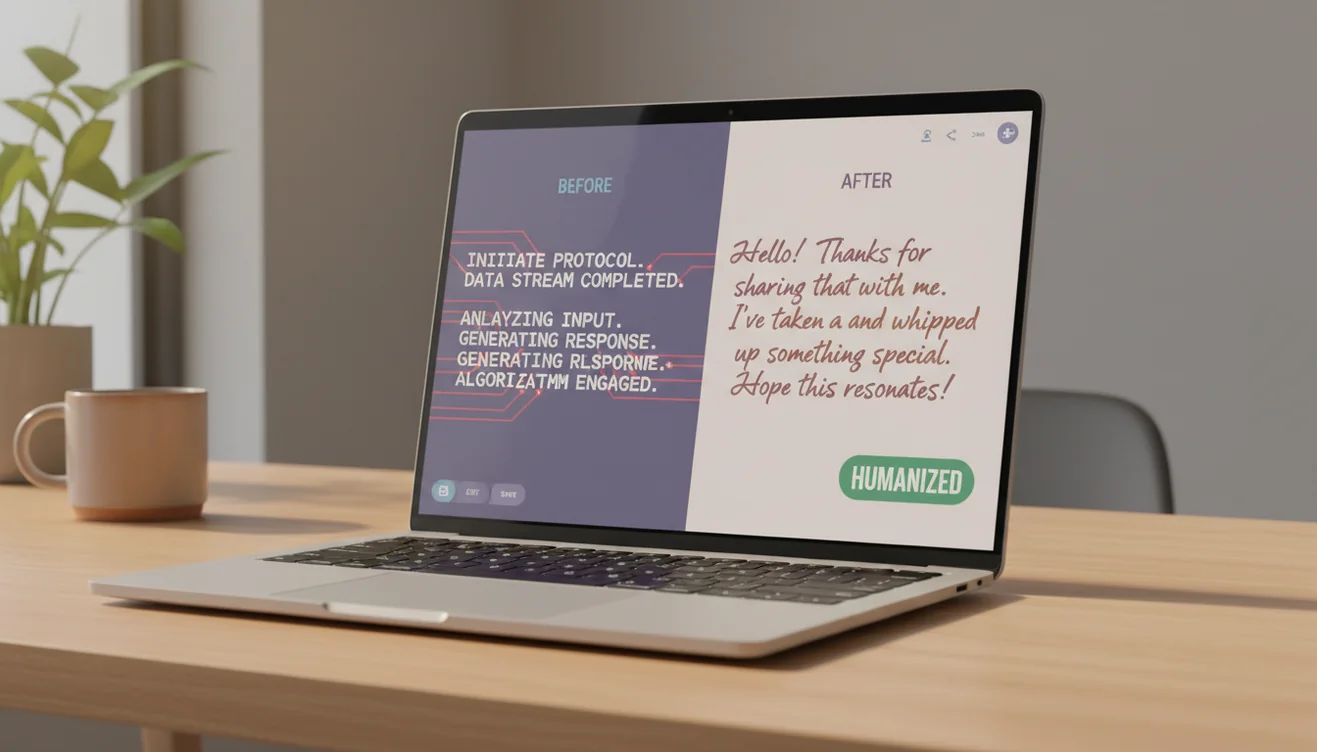
An AI humanizer is a tool that rewrites AI-generated text so it reads as if a human wrote it naturally. It works by altering the sentence patterns, vocabulary distribution, and structural cues that AI detection tools use to identify machine-written content. The output preserves the original meaning while introducing the kind of variation and imperfection characteristic of human writing.
AI-generated text has a recognizable feel to it, even when the grammar and logic are flawless. The sentences tend to fall within a narrow length range. Word choices favor common, high-probability options. Paragraphs follow predictable structures with consistent transition patterns. These traits emerge because language models select the statistically most likely next word at each step. Human writers, by contrast, make idiosyncratic choices. They write a five-word sentence followed by a forty-word one. They use uncommon synonyms. They start paragraphs with conjunctions or break conventional structures for emphasis. An AI humanizer introduces these kinds of irregularities deliberately, transforming text that reads as mechanically competent into text that feels organically composed.
The distinction between humanizing and simple rewriting matters. A standard AI rewriter changes wording for variety or clarity. It might swap synonyms, restructure a clause, or adjust tone. An AI humanizer does all of that but with a specific target: the statistical signatures that detection tools measure. These signatures include perplexity (how surprising each word is in context), burstiness (variation in sentence length and complexity), and entropy (randomness in word distribution). Human text scores higher on all three metrics because people write unpredictably. AI text scores lower because models optimize for coherence, which produces uniformity. The humanizer raises these scores to match human baselines.
This tool is part of the AI Writer suite on Write.info, which includes specialized tools for different writing tasks. Where the bypass AI tool frames its function around evading detection, the humanizer emphasizes readability and natural tone. The underlying rewriting approach is the same, but the framing reflects different user needs. Some people want their AI-assisted content to read naturally because they care about quality. Others want it to avoid detection flags. The humanizer serves both purposes.
How AI Humanization Works
Understanding the mechanics behind humanization helps set realistic expectations about what the tool can and cannot do.
AI detection tools measure text along several statistical dimensions. The primary metric is perplexity, which quantifies how predictable each word is given the preceding context. Language models generate low-perplexity text because they select high-probability words by default. Human writers produce higher-perplexity text because they make unexpected word choices, use slang, employ rhetorical devices, and follow associative thought patterns that introduce surprise into the language. When a detector sees consistently low perplexity across a passage, it flags the text as likely machine-generated.
The second key metric is burstiness, which measures variation in sentence structure. AI text tends to produce sentences of similar length and complexity. A typical AI paragraph might contain five sentences between twelve and twenty words each, all following subject-verb-object patterns. Human paragraphs are burstier. They mix short declarative statements with long, comma-laden compound sentences. They include fragments, questions, and parenthetical asides. The humanizer introduces this kind of structural variety by breaking long sentences into fragments, combining short ones into complex structures, and varying syntactic patterns across the passage.
The third dimension is entropy, the overall randomness in word selection across the document. AI models draw from a narrower effective vocabulary than human writers because they favor common words that fit predictably. Human writing includes domain-specific jargon mixed with colloquial expressions, unusual adjectives, and idiomatic phrases that create higher entropy. The humanizer addresses this by substituting predictable vocabulary with less common alternatives and introducing conversational elements that raise the entropy score.
Together, these adjustments shift the statistical profile of the text from machine-typical to human-typical. The result is content that communicates the same information but presents it in patterns that detectors associate with human authorship.
How to Use the AI Humanizer
- Paste your AI-generated text into the input box above. The tool accepts up to 5,000 characters per request. If your document is longer, process it in sections for more consistent and natural-sounding results across the entire piece.
- Click "Humanize Text" to start the process. The humanizer analyzes the input for patterns commonly flagged by AI detectors, including uniform sentence lengths, predictable transitions, and low-variance vocabulary.
- Wait for the output to appear below the input area. Processing typically takes a few seconds depending on input length. The rewritten version retains your original meaning expressed through more varied, human-sounding language patterns.
- Review the rewritten text carefully. Read through the entire output to verify that meaning has not shifted in unintended ways. Pay close attention to technical terms, proper nouns, numerical data, and specific claims that may have been altered during rewriting.
- Make manual edits to add personal touches. Insert a specific anecdote, adjust the tone to match your usual writing voice, or fix any phrasing that feels unnatural. Manual edits on top of humanized output produce the most authentic final text.
- Verify the result if needed. Run the humanized text through the AI detector or GPT detector to check the detection score before using the content in a context where detection matters.
Humanizing vs. Rewriting vs. Paraphrasing
These three processes overlap but serve different purposes. Understanding the distinctions helps you choose the right tool for your situation.
Rewriting changes how text is expressed for general purposes: improving clarity, adjusting tone, or creating a fresh version of existing content. The AI rewriter tool handles this. It does not specifically target AI detection patterns. A rewritten passage might still score high on AI detectors if the rewriting preserves the same statistical uniformity as the original.
Paraphrasing focuses on expressing the same idea in different words, typically at the sentence or paragraph level. The AI paraphrasing tool is useful when you need alternative wording for a specific passage. Paraphrasing changes surface-level language but may not address the deeper statistical patterns that detectors flag.
Humanizing specifically targets the metrics AI detectors use. It changes not just what words appear but how they are distributed across the text. The adjustments are calibrated to shift perplexity, burstiness, and entropy scores toward human-typical ranges. This makes humanizing the most effective approach when the specific goal is natural-sounding text that does not trigger detection tools.
For most users, the right choice depends on the goal. If you want clearer writing, use the rewriter. If you need different wording for one section, use the paraphraser. If you want AI-generated content to read naturally and avoid detection flags, use the humanizer.

When Humanizing Makes Sense
There are legitimate reasons to humanize AI-generated text, and understanding them helps frame the tool's purpose appropriately.
Content creators who use AI to draft blog posts, articles, or marketing copy often humanize the output as a quality step. The goal is not deception but readability. AI-drafted content that sounds mechanical or formulaic does not engage readers, regardless of whether it passes detection. Humanizing improves the reading experience by adding the rhythm and variety that keeps people engaged.
Non-native English speakers face a specific challenge with AI detection. Text written by someone whose first language is not English can trigger AI detectors because grammatically correct but stylistically uniform writing looks statistically similar to machine output. Humanizing such text adds the natural variation that detectors expect, helping writers avoid false positives that have nothing to do with AI use.
Professionals who use AI as a drafting aid - generating initial versions of reports, proposals, or correspondence, may humanize the draft before sending it. The final product is their work in substance; the AI provided a starting structure. Humanizing ensures the text carries their natural communication style rather than the recognizable cadence of a language model.
What Humanizing Cannot Do
Setting realistic expectations matters. The humanizer is a rewriting tool, not a magic eraser for AI involvement.
It cannot guarantee zero detection scores. AI detectors update their models, and the cat-and-mouse dynamic between humanization and detection means that no single approach works permanently against all detectors. Text that passes one detector might still flag on another. The humanizer reduces detection scores significantly, but treating any specific number as guaranteed would be misleading.
It cannot add original thought. The humanizer changes how ideas are expressed, not what ideas are expressed. If the underlying content is shallow, generic, or factually incorrect, humanizing will not fix those problems. It will produce a more natural-sounding version of the same shallow content. Quality starts with the substance, not the surface.
It cannot replace human editing. The most natural-sounding text comes from a human writer who reviews, adjusts, and adds their own perspective to AI-generated material. The humanizer is one step in that process, not a replacement for the entire editing workflow.

Limitations & Safety
Humanized text should always be reviewed before publishing or submitting. The rewriting process occasionally alters technical terminology, shifts numerical claims, or changes the emphasis of specific statements. Users are responsible for verifying that the output accurately reflects their intended meaning and that all factual claims remain correct after humanization.
This tool processes text through an AI model, which means the humanized output is itself AI-generated - it is specifically optimized to avoid the patterns that detectors flag. This distinction matters in contexts where institutional policies address AI-generated content. Humanizing does not change the fact that AI was involved in producing the text.
The humanizer is not suitable for legal documents, medical communications, financial disclosures, or any text where precise wording carries regulatory or legal weight. These documents require professional human review regardless of whether AI was involved in drafting them. Write.info does not guarantee the accuracy or suitability of humanized content for any specific purpose.
Write.info does not store, log, or retain any text submitted to this tool. All processing happens in real time and content is discarded immediately after the response is delivered. For more details, visit the privacy policy. For the full suite of writing tools, visit the AI Writer homepage.
Humanize AI Text on the Go
Use Write.info’s free AI writing tools online, then continue drafting, rewriting, checking, and polishing from your phone with the Write.info app. Always review the final text so it reflects your meaning, voice, and disclosure requirements.
Get Write.info AppAI Humanizer App
The AI Humanizer tool is available as part of the AI Writer app for iPhone and iPad. The app includes all writing, detection, and humanization tools in a single download with no account required. An Android version is currently in development.
The iOS app supports offline access to saved content and provides the same AI writing capabilities available on Write.info. Users receive 10 free generations per day on the website, while the app offers extended access through optional subscription plans.
Download on App Store