AI Sentence Rewriter
Rewrite any sentence in three styles-Clear, Formal, and Creative. Get instant alternatives that preserve your meaning with a different voice.
What Is an AI Sentence Rewriter
An AI sentence rewriter is a tool that generates alternative versions of a given sentence while preserving its original meaning. It uses language models to rephrase, restructure, and adjust the tone of individual sentences. The output typically includes multiple variations so the user can choose the version that fits their context.
Sentence-level rewriting is a different skill than paragraph-level paraphrasing, and the distinction matters more than most people realize. When you rewrite a full paragraph, the model can redistribute ideas across sentences, change the order of information, and adjust transitions. That flexibility makes paragraph rewriting forgiving-if one sentence comes out awkward, the surrounding context compensates. Sentence rewriting has no such safety net. Every word choice, every clause placement, every punctuation decision is visible and consequential. A clumsy paragraph rewrite might go unnoticed. A clumsy sentence rewrite sticks out immediately.
I use a sentence rewriter most often when editing. Not for generating content from scratch, but for fixing sentences that are not quite right. You know the feeling-a sentence communicates the idea but sounds off. Too wordy, too stiff, too casual for the document it is going into. Running it through a sentence rewriter gives me three angles on the same thought, and often one of them either solves the problem directly or sparks an edit that does. It is faster than staring at the sentence and mentally rearranging words, which is what most of us do when we are stuck on a phrasing.
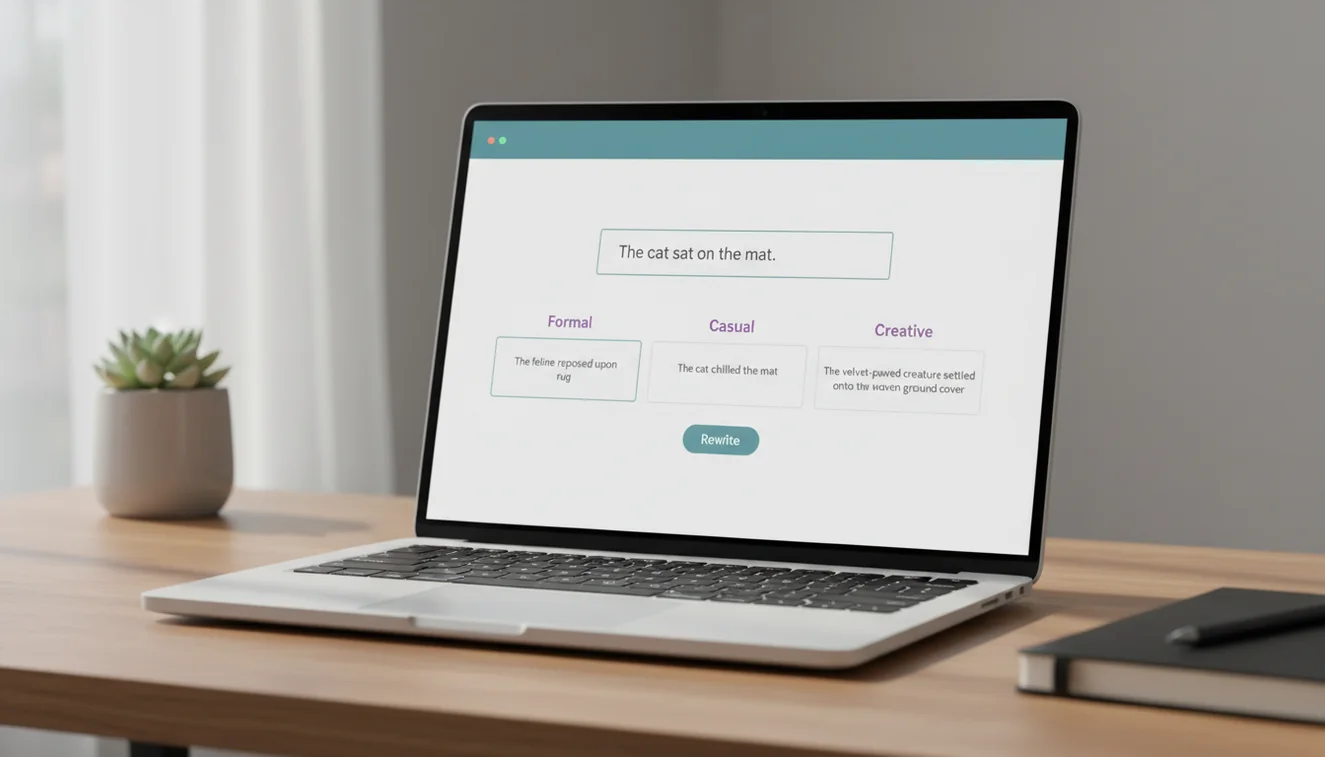
The three output styles this tool provides-Clear, Formal, and Creative-are not arbitrary categories. They map to the three most common reasons people rewrite sentences. You want it simpler (Clear). You need it to sound professional (Formal). You want it to be more engaging or distinctive (Creative). Having all three generated simultaneously means you can compare them side by side and either pick one or combine elements from multiple versions into a final sentence that works exactly right for your purpose.
How to Use the AI Sentence Rewriter
- Type or paste a sentence into the input box. The tool works with any sentence length, but input between 10 and 40 words tends to produce the most useful variations. Very short fragments may not have enough structure to rewrite meaningfully, while very long sentences may benefit from being split first.
- Click "Rewrite Sentence" to generate three alternative versions. The tool processes your sentence and returns a Clear version (simplified and direct), a Formal version (professional and structured), and a Creative version (vivid and distinctive).
- Compare the three outputs. Each version rephrases the same core idea with a different approach. The Clear version strips unnecessary words and simplifies structure. The Formal version uses more precise vocabulary and conventional sentence patterns. The Creative version experiments with word choice, rhythm, or imagery.
- Select or combine. You can use one version as-is, or take elements from different versions to build your ideal sentence. Many writers use the tool as a brainstorming aid rather than accepting any output verbatim.
- Copy your chosen version using the copy button. If you want to continue refining the text, you can paste the result back into the tool for another round of rewriting, though one pass is usually sufficient.
The Three Output Styles Explained
Clear
The Clear style prioritizes readability above everything else. It removes filler words, shortens clauses, and replaces complex vocabulary with simpler alternatives. If your original sentence says "The implementation of the newly proposed regulatory framework is anticipated to commence during the forthcoming fiscal quarter," the Clear version might give you "The new regulations are expected to start next quarter." Same meaning, half the words.
This style is particularly useful for technical writing that needs to reach a general audience, for simplifying jargon-heavy internal communications, and for tightening sentences in blog posts or marketing copy where every word needs to earn its place. If readability scores matter to your project-and they should for most web content-the Clear output is your starting point.
Formal
The Formal style shifts tone toward professional and academic registers. It chooses more precise vocabulary, maintains conventional sentence structure, and avoids contractions or colloquial expressions. A casual sentence like "We figured out that the system breaks when you upload big files" becomes something like "Our analysis determined that the system encounters failures when processing large file uploads."
This style is valuable for business reports, academic papers, formal emails, grant proposals, and any context where the reader expects a certain level of linguistic formality. It does not make sentences longer for the sake of it-the goal is precision and professionalism, not verbosity. The Formal output replaces imprecise casual language with specific professional alternatives while keeping the sentence as tight as possible.
Creative
The Creative style takes more liberties with the rewrite. It might use metaphor, adjust rhythm, employ more vivid verbs, or restructure the sentence in an unexpected way. A straightforward sentence like "The sunset was beautiful" could become "The sky burned amber and gold as the sun dropped below the horizon." Same observation, entirely different experience for the reader.
Creative rewrites are not always appropriate. A legal brief does not need vivid imagery. A bug report does not need metaphors. But for essays, blog posts, stories, social media captions, and personal writing, the Creative output can transform flat sentences into memorable ones. Even when the Creative version is too elaborate to use directly, it often contains a word choice or structural idea worth borrowing.

When to Rewrite vs. When to Restructure
A sentence rewriter is the right tool when the underlying idea is sound but the expression needs work. If you know what you want to say and just cannot find the right words, a rewriter helps. But if the problem is not phrasing but logic-if the sentence is confusing because the idea itself is unclear or because too many ideas are crammed into one sentence-rewriting will not fix it. You need to restructure.
Restructuring means breaking a complex sentence into two or three simpler ones, reordering clauses so the most important information comes first, or removing tangential points that belong in a different paragraph. No rewriting tool will do this for you effectively because the decisions involved are about content priority, not word choice. If you paste a 50-word sentence with three subordinate clauses into the rewriter and the results all feel awkward, that is a signal that the sentence needs structural editing, not stylistic variation.
A practical rule of thumb: if a sentence has more than one main idea, restructure first. If it has one idea expressed poorly, rewrite. The AI rewriter handles longer passages where restructuring across multiple sentences is needed. The AI paraphrasing tool works well when you want to change the wording of a paragraph without altering its structure. Each tool has a specific strength, and knowing which to reach for saves time.
Practical Tips for Sentence Rewriting
Start with your weakest sentences, not your strongest. Writers tend to fixate on polishing sentences that already work while skipping the ones that genuinely need rewriting. Read through your draft and mark the sentences that trip you up or feel clunky. Those are the candidates for the rewriter.
Do not rewrite every sentence in a piece. Consistency of voice matters, and running every sentence through a rewriting tool will produce text that feels stitched together from different authors. Use the tool selectively for the sentences that need the most help, and leave the rest in your natural voice.
Pay attention to how the rewriter handles specialized terms. Technical vocabulary, brand names, and industry jargon may be replaced with generic alternatives in the Clear or Creative outputs. The Formal output usually preserves technical terms better. If precision matters, double-check that the rewrite did not swap a specific term for a more general one.
Use the Creative output as inspiration even when you do not use it directly. The Creative version often reveals alternative sentence structures or word choices you would not have considered. Even if the full rewrite does not fit, a single word or phrase from it might improve your original sentence more than a wholesale replacement.
Limitations and Safety
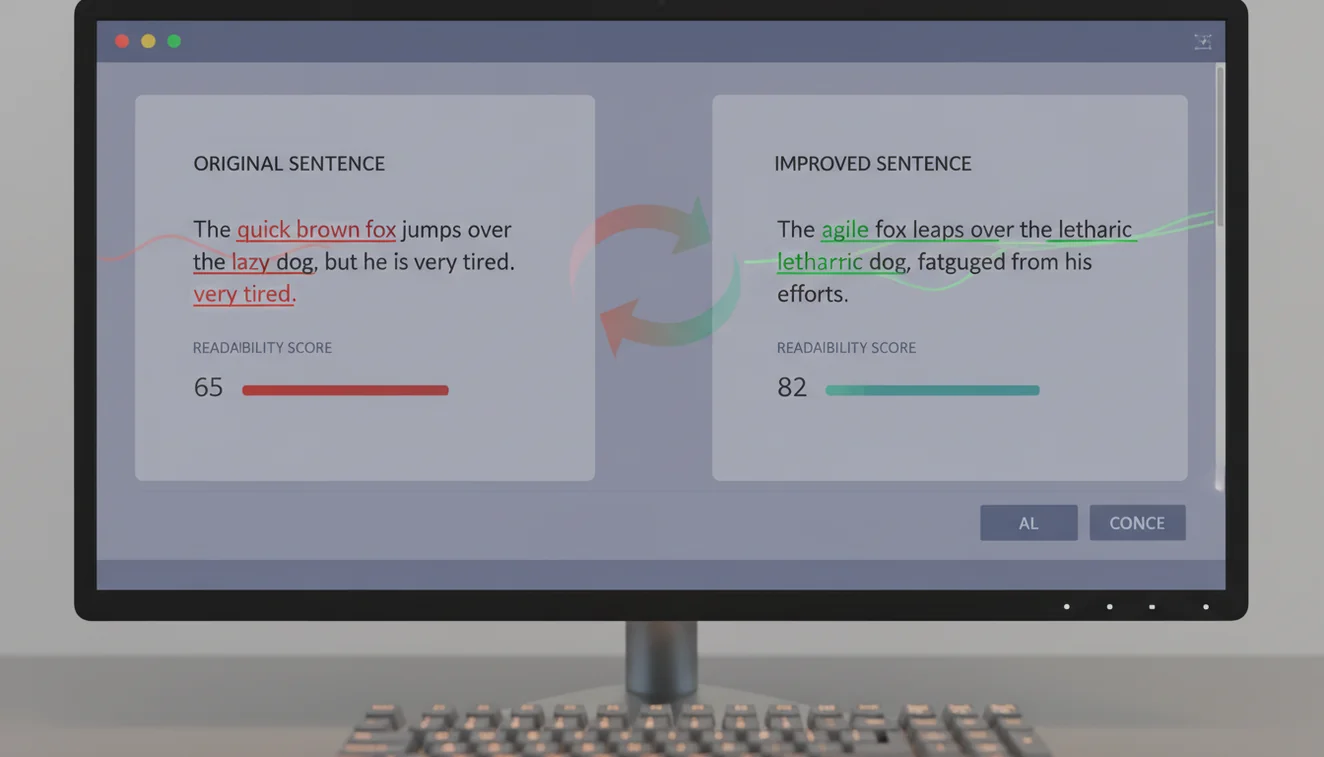
The sentence rewriter works within the capabilities and constraints of its underlying language model. It generates rewrites by predicting alternative phrasings based on the input, which means it occasionally produces sentences that are grammatically correct but semantically off. A sentence about increasing revenue might get rewritten as a sentence about growing profits-similar but not identical in a business context where the distinction matters. Always verify that the rewrite maintains the specific meaning you need.
The tool is optimized for English. While it may produce results for sentences in other languages, the quality and accuracy of the three output styles are calibrated for English grammar, vocabulary, and usage patterns. For non-English content, results should be treated as rough suggestions rather than polished alternatives.
Output from this tool is AI-generated and may be flagged by AI detection tools. If your context requires text that passes AI detection, run the rewritten sentence through the AI humanizer for additional processing. For grammar-specific corrections rather than stylistic rewrites, the AI grammar checker is a more targeted option.
Write.info does not store or retain any text submitted to this tool. All processing happens in real time and content is discarded after the response is generated. For more about how data is handled, see the privacy policy. Explore all available tools on the AI Writer platform homepage.
Rewrite Better Sentences Anywhere
Use Write.info’s free AI writing tools on the web, or download the app for sentence rewriting, editing, and drafting on the go. Always review AI suggestions so the final text sounds accurate and authentically yours.
Get Write.info AppAI Sentence Rewriter App
The AI Sentence Rewriter tool is available as part of the AI Writer app for iPhone and iPad. The app includes all writing, detection, and humanization tools in a single download with no account required. An Android version is currently in development.
The iOS app supports offline access to saved content and provides the same AI writing capabilities available on Write.info. Users receive 10 free generations per day on the website, while the app offers extended access through optional subscription plans.
Download on App Store